Understanding How Google Processes New Reviews
When a customer leaves feedback on your Google Business Profile (GBP), it does not immediately publish to the live profile in every case. Google uses machine learning algorithms designed to detect synthetic engagement, incentivized ratings, and coordinated review bombing. As detailed in Google's official guidelines for business representation, content must reflect genuine customer experiences at a specific business location.
During this evaluation, algorithms analyze multiple variables: the reviewer's browsing history, their physical location relative to your premises at the time of posting, profile age, review velocity, and specific phrasing. If any signal flags the interaction as unnatural, the system quarantines the review. When business owners find that legitimate google reviews are missing, it can stall local momentum. For business owners investing in organic discovery through SEO & Google Business management, uncounted reviews can temporarily slow down local visibility.
Local search relies heavily on verified public proof. When positive reviews stall, business owners often look to complementary growth channels—such as running paid traffic through ads management or engaging audiences via social media campaigns—to sustain lead flow while resolving profile issues.
7 Core Reasons Why Google Reviews Do Not Appear
Understanding the exact mechanical reason behind a missing review helps you solve the issue without worsening your standing with Google's trust and safety team.
1. Automated Spam Filter Triggers and Algorithmic Sensitivity
Google frequently updates its moderation systems. When these filters tighten, false positives rise significantly. The automated google review spam filter looks for unnatural patterns across multiple vector points. Genuine reviews submitted by first-time reviewers or users with brand-new Google accounts face stricter algorithmic scrutiny. Similarly, if your listing suddenly receives ten reviews in a single afternoon after months of inactivity, the spike triggers an algorithmic hold.
2. URL Links, Phone Numbers, and Restricted Characters
Google prohibits hyperlinks, email addresses, phone numbers, and coupon codes inside customer reviews. If a customer attempts to paste a reference number, order ID containing special characters, or a link back to their own blog, Google silently filters the review. The reviewer sees their submission on their personal profile, but the text remains invisible to the public.
3. Reviews Left Over the Same Local Network (IP/Wi-Fi Clashes)
Asking customers to leave reviews while connected to your on-site public Wi-Fi is a common operational mistake. When multiple reviews originate from the exact same public IP address as the business manager or front desk terminal, Google's algorithm interprets the submissions as internal staff manipulation or self-reviewing, leading to immediate suppression.
4. Recent Listing Edits or Re-Verification Lags
If you recently edited critical profile data—such as your primary business category, physical address, business name, or service radius—your listing enters a probationary state. During this time, Google re-indexes your listing, often delaying incoming reviews until the profile re-stabilizes. If you operate service areas rather than a physical storefront, tracking these changes alongside on-site optimization covered in our SEO blog section keeps technical parameters aligned.
5. Reviewer Account Restrictions or Shadowbans
Sometimes the problem lies entirely with the customer's account. If an account has previously submitted content flagged as spam across other businesses, Google may place an unannounced algorithmic restriction on it. The customer assumes their review published, but Google suppresses their submissions globally.
6. Geolocation Mismatch and Distance Discrepancies
Google cross-references location data when evaluating authenticity. If a consumer claims to have visited an auto repair shop or hair salon in London, but their device's location history shows they were thousands of miles away without travel logs, the review system will likely suppress the submission as fraudulent.
7. Google Outages and System Delays
Google occasionally experiences database synchronization backlogs. During system maintenance, reviews submitted across thousands of profiles take between 48 hours and two weeks to propagate across regional data centers.
How to Audit Missing Google Reviews
Diagnosing missing feedback requires an orderly process before opening a support ticket. Follow these steps to determine where the breakdown occurs:
- Request a Screenshot from the Customer: Ask the customer to open Google Maps, click "Your Contributions," and select "Reviews." If the review is visible on their end but missing in an incognito window, the review is caught in Google's internal filter.
- Check the Phrasing for Policy Triggers: Review the screenshot for URLs, dollar amounts, brand names, or profanity that might trip algorithmic flags.
- Audit Your Profile Status: Open your Google Business Profile dashboard to verify your profile is verified, fully active, and free of suspension notices.
- Inspect Review Velocity: Determine whether your team launched a mass-email campaign that caused an artificial spike in review submissions.
Maintaining strong customer communication while troubleshooting avoids friction. Teams integrating messaging workflows—such as businesses using our guide to qualify Click to WhatsApp leads automatically—can use automated follow-up messages to guide clients through simple review submission best practices without triggering filters.
How to Contact Google Support for Review Reinstatement
If you confirm that legitimate reviews were filtered incorrectly, submit an appeal directly through Google Business Profile support. Google's support engineers can manually inspect quarantined submissions and unflag them if they meet quality standards.
Step-by-Step Escalation Workflow
- Collect Documentation: Save screenshots from customers showing their name, the date of submission, the full review text, and proof of transaction (such as a receipt, booking confirmation, or invoice).
- Open the GBP Support Portal: Go to Google Business Profile Support, select your business, and choose "Customer reviews" as the primary issue.
- Select 'Missing Reviews': Pick "Review missing" from the specific problem category.
- Fill Out the Required Details: Provide your Business Profile ID (found under Business Profile settings > Advanced settings), the reviewer's public Google display name, and the dates of submission.
- Attach Evidence: Attach the screenshots provided by the customer. Avoid emotional appeals; state plainly that the feedback represents an authentic customer experience that complies with all Google content guidelines.
- Track the Case ID: Save the Case ID provided upon submission. Wait 5 to 7 business days for an initial response before requesting an escalation.
How Your Web Presence Impacts Local Profile Trust
Google evaluates a business profile within the context of its wider digital footprint. When your website provides clear signals about your physical location, business structure, and customer service standards, Google's algorithms place higher trust in your overall presence.
Structuring your site with clear service areas, fast load times, and clean metadata helps search crawlers connect your domain to your local listing. Following the foundations in Google's SEO Starter Guide ensures your brand entities align. If your website is slow or difficult to navigate, addressing core performance metrics—such as techniques to reduce Largest Contentful Paint in WordPress—improves user experience across both search results and landing pages.
At PublishKaro, we build custom high-performance websites hand-built in Next.js through our custom website development services, as well as dedicated platforms on WordPress and Shopify. If your store uses modern commerce tooling, reviewing our breakdown on how to switch to new customer accounts in Shopify or how to migrate to WooCommerce HPOS will help preserve technical integrity. Projects are quoted after a free call, at a fixed price agreed in writing. When technical architecture matches local SEO best practices, your brand builds a more resilient online reputation.
Comparison Table
| Issue Scenario | Typical Root Cause | Resolution Pathway | Expected Time to Resolve |
|---|---|---|---|
| Review visible to user, hidden publicly | Algorithmic filter flagged content, account trust, or shared IP | Ask customer to edit out URLs/symbols, or contact GBP support | 2 to 7 business days |
| Multiple reviews vanish simultaneously | System update, listing category edit, or bulk spam purge | Wait 72 hours; if not restored, file a support case with proof | 5 to 10 business days |
| Reviewer cannot submit the review | Character length limit exceeded, browser cache, or network error | Advise customer to clear cache, shorten text, or use Maps mobile app | Immediate |
| All reviews disappear after address change | Listing re-verification triggered profile suspension or merge | Complete reverification; request review transfer via support | 1 to 3 weeks |
| Delayed display (24–72 hours) | Routine automated processing latency | No action required; allow algorithmic processing queue to clear | 1 to 3 business days |
Visual guide
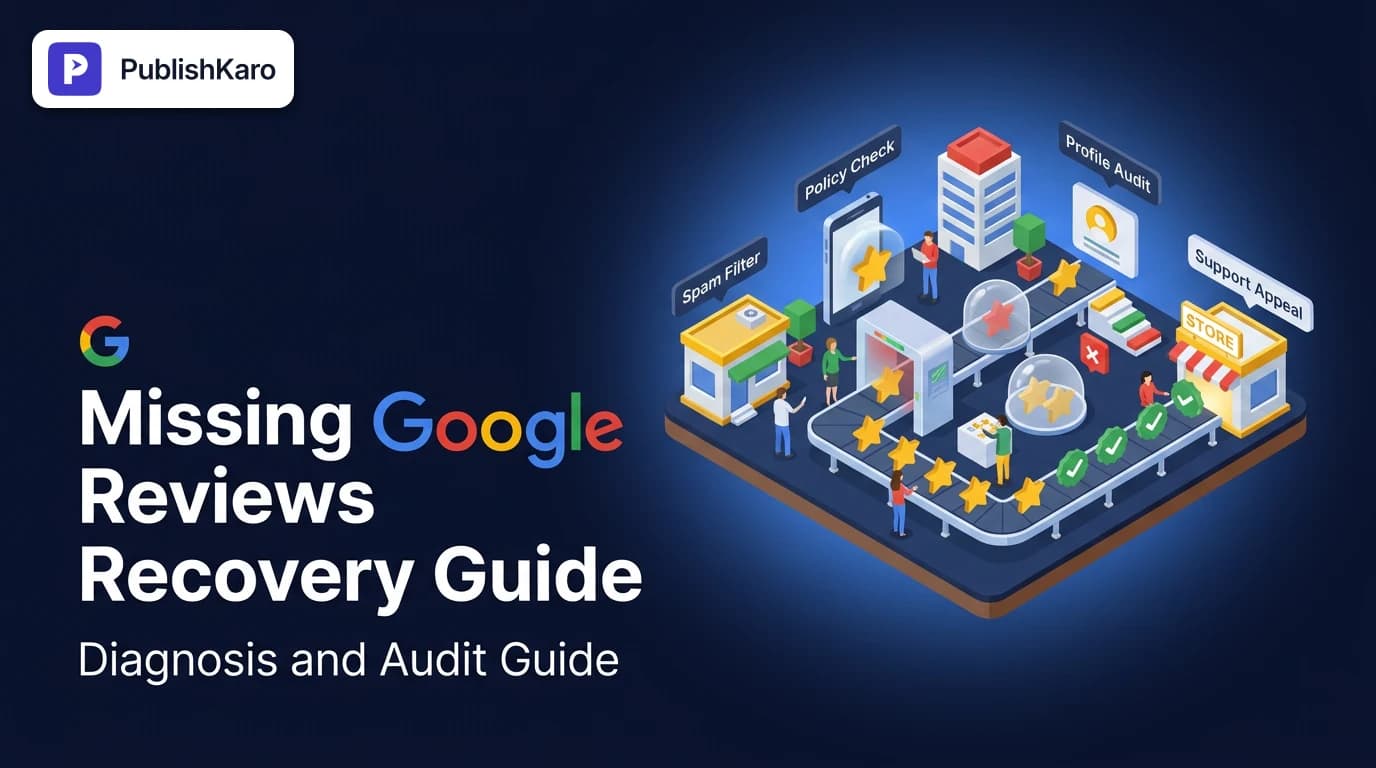
Diagnosing a Missing Google Review
Follow this checklist to determine whether a missing review is caught in automated spam filters or caused by account restrictions.
Escalating Missing Reviews to Support
Step-by-step workflow to request manual reinstatement of legitimate customer reviews through Google Business Profile support.
Signals Triggering Google Review Filters
Multiple risk vectors combine to trigger automated moderation holds on newly submitted business feedback.
Practical Examples
Scenario A: The Local Dental Clinic In-Office Wi-Fi Trap
A dental practice in Leeds set up an iPad kiosk in the reception area connected to their office Wi-Fi, prompting patients to review their appointments before leaving. Within three weeks, fifteen reviews were submitted, but none appeared on the public profile.
Diagnosis: Google flagged all fifteen reviews because they shared the same public IP address as the listing manager's active account.
Solution: The practice discontinued the kiosk strategy. Instead, they added an automated SMS follow-up sent three hours after discharge, asking patients to review the practice using their own cellular data or home internet. The clinic also contacted Google support with three patient invoices; those three reviews were manually cleared and restored.
Scenario B: The E-Commerce Store with URL Triggers
A boutique furniture maker selling online requested reviews from buyers. Several customers mentioned specific product lines and pasted the direct product URL into the text box to show what they purchased. None of those reviews published.
Diagnosis: Google's automated policy engine treats external links as promotional spam, automatically filtering submissions that contain URLs.
Solution: The business owner reached out to those customers, explained the policy, and asked them to edit their existing reviews by removing the link while leaving their written feedback intact. Once saved without the URL, the reviews appeared publicly within 48 hours.
Checklist
Follow this operational checklist whenever a customer reports a missing review:
- Verify Profile Standing: Confirm your Google Business Profile is verified and has no pending policy warnings.
- Obtain Evidence: Request an uncropped screenshot of the review directly from the customer's "Contributions" tab in Google Maps.
- Scan Text for Restricted Items: Ensure the text contains no URLs, email addresses, phone numbers, dollar values, or excessive punctuation.
- Check Submission Network: Confirm the customer was not connected to your business Wi-Fi or local network when submitting.
- Wait 72 Hours: Allow routine processing backlogs to resolve naturally before contacting support.
- Prepare Documentation: Collect the customer's public profile name, submission date, review text, and internal transaction record.
- Submit GBP Ticket: File an official request through Google Business Profile support referencing the exact listing ID.
- Diversify Review Requests: Stagger ongoing review campaigns to maintain a natural, consistent submission velocity.
Multi-Channel Marketing and Brand Consistency
While resolving why are my google reviews not showing up, keep your overall business visibility active across multiple channels. Relying exclusively on one platform leaves local service businesses vulnerable to algorithm changes. Pairing your local search optimization with multichannel engagement protects your pipeline.
Publishing educational updates, behind-the-scenes content, and customer testimonials directly on social platforms builds broader credibility. Teams that coordinate their digital marketing often use tools like our PublishKaro publishing app to plan schedules in Google Sheets, create platform-ready captions, and publish directly to Instagram, Facebook, LinkedIn, and YouTube through official APIs.
Whether running seasonal campaigns, setting up paid acquisition alongside our guide to brand exclusions in Performance Max, refining creative content with guidance on how to reorder Instagram carousel posts, exploring how to schedule Instagram trial reels, or reviewing compliance through our Meta AI video ad disclosure rules breakdown, maintaining consistent customer touchpoints ensures steady business growth even when Google's review filters cause temporary delays.
To explore how our team supports your search footprint, visit our complete range of agency services or explore our digital marketing blog for more technical guides.
Key Takeaways
- Automated Filters Cause Most Delays: Google's algorithms hold reviews that share an IP address with the business, contain web links, or come from new accounts.
- Reviewers See Quarantined Content: A customer may see their own review while it remains invisible to the public, confirming an algorithmic hold rather than a failed submission.
- Screenshots Are Essential Evidence: Google support requires customer screenshots and transaction proof to manually reinstate filtered reviews.
- Never Use In-Store Review Kiosks: Prompting customers to leave reviews via public in-store Wi-Fi triggers fraud filters; ask clients to submit reviews on their own devices and networks.
- Review Velocity Must Look Natural: Avoid mass blast requests that generate unnatural review spikes in short timeframes; space requests out evenly across normal business operations.
Frequently asked questions
Why can my customer see their review on Google, but I cannot?
When a review trips Google's automated moderation filter, it is quarantined from public view rather than deleted. The review remains visible to the author within their own Google Maps contributions profile, but the algorithm hides it from other users until it passes safety checks or receives manual reinstatement.
How long does Google take to review and publish delayed feedback?
Standard reviews generally publish within a few minutes to 24 hours. If a submission triggers algorithmic inspection or experiences data center delays, processing typically requires between 2 and 7 business days. If the review is still missing after a week, it likely requires an appeal.
Can I recover Google reviews that disappeared after editing my profile?
Yes. When you update core listing information such as your business name, address, or category, reviews may temporarily disappear while Google re-indexes the profile. If they do not restore automatically within 72 hours, open a ticket through Google Business Profile support with your Business Profile ID.
Do URLs or special characters cause Google reviews to get deleted?
Yes. Google's policy strictly prohibits hyperlinks, email addresses, and promotional codes inside reviews to combat link spam. Submissions containing URLs are suppressed automatically. Having the customer edit the review to remove the link usually resolves the issue.
Will submitting multiple reviews from our office Wi-Fi cause them to vanish?
Yes. Google tracks the IP addresses of reviewers and listing managers. If multiple reviews originate from the same local network used to manage the business listing, the algorithm flags them as potential self-reviews or conflicts of interest, resulting in immediate suppression.
Can customers leave reviews from outside the country where my business operates?
Google evaluates physical distance between the reviewer's historical device coordinates and your business location. If an overseas user reviews a local storefront without travel data, the spam algorithm often treats the submission as fake engagement and quarantines it from view.