Understanding Why Google Suspends Business Profiles
Discovering that your listing has vanished from Google Maps and local search results can interrupt customer inquiries overnight. A Google Business Profile (GBP) suspension occurs when automated algorithms or human quality evaluators flag data that conflicts with the Google Business Profile policies and guidelines.
Google maintains strict quality controls across its mapping ecosystem to eliminate lead generation traps, unstaffed virtual mailboxes, and deceptive local representations. When automated filters spot inconsistent operational data, the profile is flagged to protect users from fraudulent operations.
Suspensions generally manifest in two distinct forms:
- Soft Suspension: Your business listing remains visible on Google Maps and search results, but your administrative dashboard controls are locked. You cannot edit opening hours, respond to customer reviews, publish posts, or update core attributes.
- Hard Suspension: Your business listing is completely removed from Google Search and Google Maps. Reviews, customer photos, and local map rankings vanish instantly until a formal reinstatement appeal is approved.
Diagnosing the exact type and root trigger of your suspension is essential before taking action. Rushing through the reinstatement form without correcting the underlying conflict almost always results in a swift rejection.
Common Triggers for Google Business Profile Suspensions
Before learning how to appeal Google Business Profile suspension notices, audit your profile settings against the most frequent compliance traps. In many cases, suspensions trigger immediately after an account manager updates core data fields.
1. Keyword Stuffing the Business Name
Adding geographic modifiers, service lists, or promotional slogans to your profile name violates core naming rules. Your profile title must match your legal business name exactly as registered with government authorities and displayed on physical building signage. Adding modifiers such as "Best Emergency Plumber Chicago" to a business named "Smith Plumbing LLC" triggers algorithmic flags.
2. Ineligible Addresses, Virtual Offices, and PO Boxes
Google demands that storefront businesses operate out of a dedicated, physical location staffed by company employees during posted hours. Renting a virtual address, shared co-working drop-in desk, mail forwarding suite, or postal box violates eligibility standards. If your company lacks permanent outdoor signage and dedicated leased square footage, it must be configured as a service-area business rather than a storefront.
3. Category Switching and Excessive Bulk Edits
Altering your primary business category multiple times in a short window signals potential account manipulation. Similarly, changing your phone number, street address, website URL, and primary business category in a single session triggers fraud safeguards that restrict profile functionality until identity is re-established.
4. Conflicting NAP Data Across the Web
Your Name, Address, and Phone number (NAP) data must match across corporate records, government databases, business directories, and your primary website. If Google's web crawler detects that your website footer lists a different address or company name than your profile, data trust drops. Establishing cohesive technical foundations through professional SEO and Google Business services keeps business records synchronized across the web.
Pre-Appeal Audit: Fixing Your Profile Before Submitting
Submitting an appeal while your profile still contains policy violations is the most common reason applications fail. You must clean up every profile field before submitting your case to Google's review team.
Step 1: Normalize Your Business Name
Review your dashboard and strip out every descriptive keyword, marketing claim, and city tag that is not part of your legal entity name. Ensure the naming aligns exactly with your company tax registrations and exterior signage.
Step 2: Address Settings and Service-Area Visibility
Determine your operational model:
- Storefront Business: You welcome walk-in customers at a physical storefront during stated hours. Your permanent exterior signage must clearly display the business name.
- Service-Area Business (SAB): You travel to client locations to deliver services (e.g., electricians, mobile detailers, home cleaners) and do not serve walk-ins at your base. You must hide your physical street address and specify geographic service zones instead.
Step 3: Align Website Data and Technical Identity
Examine the website URL connected to your profile. The target landing page must feature your exact legal trade name, operational address, and primary telephone number, ideally embedded with structured organizational schema as documented in Google's guide to structured data.
If your website recently experienced security compromises, malvertising injections, or indexing errors, resolve those technical hurdles immediately. Teams that take steps to clean a hacked WordPress site often discover that resolving domain security alerts removes lingering flags that impact connected Google services.
Evidence to Collect for Your GBP Reinstatement
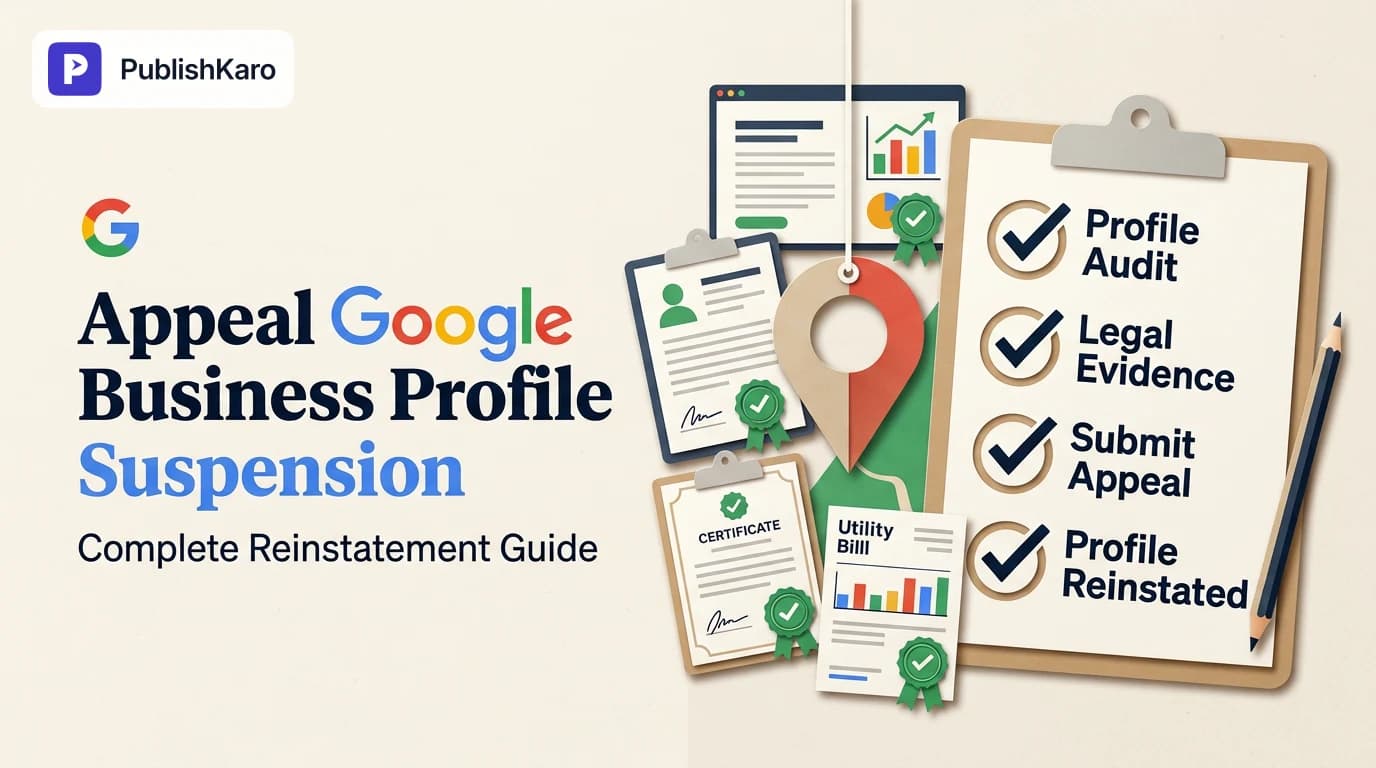
To reinstate suspended Google Business Profile records, you must present concrete, verifiable legal documents proving that your company is a genuine operating entity at the claimed address. Assemble digital copies (PDF or high-resolution JPG) of the following items before beginning:
- Official State Registration: Articles of incorporation, business registration certificate, or municipal operating permit listing the precise trade name and address.
- Recent Utility Bill: An electricity, water, natural gas, or wired landline telephone bill issued within the past 90 days matching the business name and physical address.
- Commercial Lease or Deed: A formal lease agreement showing the company name, exact suite or unit number, lease validity dates, and landlord signatures.
- Photographic and Video Verification: Unedited exterior photos showing permanent street-level and building signage, directory listings in multi-tenant buildings, and interior photos displaying staff workspaces, inventory, and branded equipment.
- Official Tax Documentation: Municipal or national tax certificates verifying active commercial standing.
Keep all files organized in an accessible folder. When you open the appeal workflow, you are granted a finite window to attach documentation, making prior preparation vital.
Step-by-Step: How to Appeal Google Business Profile Suspension
Google manages all suspension reviews through the centralized Google Business Profile Appeals Tool. Follow these sequential steps to submit your appeal correctly:
Step 1: Open the Google Appeals Tool
Sign in to the exact Google account designated as the Primary Owner of the suspended profile and navigate to the official Appeals Tool. Confirm you are not signed into a secondary personal profile.
Step 2: Select the Suspended Location
Locate the specific profile in your account list. The dashboard will state the current operational status, such as "Suspended" or "Disabled," and highlight the policy category under review.
Step 3: Initiate the Appeal
Click the button to request an appeal. Confirm that the listed contact email address is monitored daily, as Google's policy team communicates appeal decisions and requests for extra data through this inbox.
Step 4: Attach Your Verification Files
Upload your collected documentation. You typically have 60 minutes from initiating the appeal step to finalize your document attachments. Upload your utility bill, business registration certificate, lease document, and signage photography. Include a concise summary detailing the specific profile fields you audited and aligned with policy.
Step 5: Monitor the Review Queue
After submission, your status in the Appeals Tool will shift to "Submitted." Initial decisions typically take between three and seven business days. Avoid submitting repeated queries during this window, as new submissions can reset your placement in the review queue.
What to Do if Your Appeal Is Denied
Receiving a rejection notice can be frustrating, but taking haphazard actions can permanently compromise your listing. Never attempt to create a brand-new duplicate profile to bypass a suspension. Creating a duplicate profile while an existing record is suspended violates guidelines and risks permanent bans on your phone number and domain.
Instead, proceed through these structured escalation paths:
- Submit a Secondary Appeal (Request Additional Review): When the appeals dashboard presents the option to request an additional review, submit deeper evidence. This is the stage to supply an unedited video walk-through showing your company vehicle, the street address, unlocking the front entrance, showing interior facilities, and showing printed marketing materials.
- Engage the Google Business Profile Help Community: If secondary appeals are rejected, post your case details on the official Google Business Profile Community. Verified Product Experts can evaluate your documentation and, if your files meet guidelines, escalate the case for manual review by Google teams.
- Audit Your Broader Multi-Channel Presence: Ensure your entire digital footprint presents a unified identity. Brands managing omni-channel campaigns frequently rely on tools like the PublishKaro publishing app to maintain consistent messaging across platforms, or partner with PublishKaro's agency services to coordinate technical assets.
Comparison Table
Review how profile suspension types differ in public impact, dashboard functionality, and resolution procedures:
| Attribute | Soft Suspension | Hard Suspension | Owner Account Suspension |
|---|---|---|---|
| Maps Visibility | Profile remains publicly visible on Maps | Profile is completely delisted from Maps | Listings may stay visible or go unmanaged |
| Search Visibility | Profile appears in local search results | Completely hidden from Search | Listings lose verification badges over time |
| Dashboard Access | Read-only access; posting and edits disabled | Dashboard options restricted or greyed out | Entire Google account loses management rights |
| Review Impact | Existing customer reviews remain visible | Existing reviews temporarily hidden | Existing reviews remain visible to users |
| Primary Cause | Minor data conflict or routine check | Ineligible address, name spam, or fraud flags | Multiple policy violations across listings |
| Recovery Path | Correct offending field or reverify | Formal case submission via Appeals Tool | Account recovery appeal followed by listing review |
Visual guide
From Goal to Live Result
The path a how to appeal google business profile suspension project follows, from agreeing the goal to measuring the result.
Do It Yourself or Get Help
A quick way to decide whether to handle how to appeal google business profile suspension in-house or bring in specialists.
Weekly Improvement Loop
A simple weekly rhythm that keeps the work improving instead of standing still.
Practical Examples
Example 1: Local Plumbing Contractor (Service-Area Model)
A residential plumbing contractor updated their business listing name from "ClearFlow Plumbing" to "ClearFlow Plumbing - 24/7 Drain Cleaning Austin" and added a home address as a public location. The profile received an immediate hard suspension.
The Solution:
- The owner edited the title back to "ClearFlow Plumbing" to match their state registration.
- The owner hid the physical street address and selected appropriate service areas across the Austin metropolitan area.
- The owner prepared their state master plumbing license, business insurance certificates, and photos of branded service vans parked outside.
- Within five business days of submitting through the Appeals Tool, Google granted reinstatement.
Example 2: Consulting Firm at a Shared Workstation
A design firm set up a profile using a shared co-working drop-in address. Because the firm lacked a dedicated leased office with exterior signage, an automated audit suspended the listing.
The Solution:
- The management team transitioned the business model in GBP to a service-area business, removing the co-working address from public view.
- They provided utility bills for their administrative home base and corporate filings showing the legal structure.
- Google's review team reinstated the listing without a public address marker.
Checklist
Work through this operational checklist before submitting your appeal:
- Profile business name matches your legal registration character for character.
- Promotional keywords, marketing slogans, and city names have been removed from the name.
- Physical street address is hidden if you do not operate a staffed, walk-in commercial storefront.
- Storefront locations feature permanent, physical exterior signage bearing the business name.
- Utility statement dated within the past 90 days displays the business name and address.
- Government business registration or active commercial lease is accessible as a clean digital file.
- Connected website footer displays matching Name, Address, and Phone Number (NAP) details.
- Website architecture aligns with the technical practices in the Google SEO Starter Guide.
- All supporting files are prepared in a dedicated folder before launching the Appeals Tool.
- No duplicate listings exist on Google Maps for the same business entity.
Strengthening Your Overall Local Search Presence
While recovering your suspended Google Business Profile is critical, relying solely on a single listing creates operational vulnerability. Building a resilient marketing ecosystem protects your customer acquisition channels.
Your primary website should serve as the cornerstone of your local authority. If you are reviewing technical infrastructure, understanding how much a custom small business website costs clarifies how site performance and design support business growth. When building tailored sites, exploring dedicated platforms like custom websites, WordPress development, or specialized Shopify storefronts ensures your local landing pages perform well.
Diversifying your acquisition channels prevents a single platform flag from stopping operations. Managing direct customer communications or paid acquisition through targeted ad management and social media marketing builds independent traffic pipelines. Coordinating content workflows—such as learning how to cross-post Instagram Reels to YouTube Shorts—builds an active brand audience across platforms.
For more search strategies, explore our SEO blog category or browse all PublishKaro articles to strengthen your digital presence.
Key Takeaways
- Fix Underlying Conflicts First: Never submit an appeal through the Google Appeals Tool without first resolving the data discrepancies that triggered the suspension.
- Legal Proof Is Essential: Google requires verifiable third-party documentation, such as recent utility bills, official government licenses, and unedited exterior signage photos.
- Respect Service-Area Guidelines: Businesses operating without a dedicated physical commercial storefront must hide their street address and define service territories.
- Avoid Duplicate Listings: Never create a secondary profile while your listing is suspended, as doing so violates policies and delays reinstatement.
- Diversify Digital Channels: Pair your local Google listing with an authoritative website and diversified social touchpoints to protect customer discovery.
Frequently asked questions
How long does Google take to review a profile suspension appeal?
Google typically processes initial suspension appeals within three to seven business days. Cases that require secondary escalations or deeper manual checks can take up to two weeks. You can track your case status directly within the Google Business Profile Appeals Tool.
Can I create a new profile if my appeal is denied?
No. Creating a duplicate profile to circumvent an active suspension violates Google guidelines. Doing so can cause permanent penalties across your business phone number and website domain. Continue through formal escalation paths instead.
What is the difference between a soft and hard suspension?
A soft suspension locks your dashboard access while keeping your public profile visible on Search and Maps. A hard suspension delists your business entirely from Google Maps and search results until reinstatement is granted.
Why was my profile suspended immediately after an edit?
Google uses automated filters that flag rapid modifications to critical fields like business name, address, phone number, and primary category. Multiple simultaneous changes can trigger a security lock requiring manual document verification.
What documents does Google accept for reinstatement?
Google accepts official government business registrations, active commercial lease agreements, recent utility bills (electricity, water, gas, or landline phone) dated within 90 days, and unedited photos showing permanent building signage.