The Problem with Unqualified Click to WhatsApp Traffic
Click to WhatsApp (CTWA) ads are among the most engaging formats available in modern paid acquisition. By removing the friction of landing pages and lengthy web forms, they allow users on Facebook and Instagram to open a direct messaging thread with your business in a single tap. However, that low friction creates an operational bottleneck: your team gets flooded with casual inquiries, accidental clicks, greeting messages like "Hi," and prospects who lack the budget or genuine intent to purchase.
Without an automated intake funnel, sales representatives waste hours responding manually to unresponsive contacts. Response times increase across the board, causing your highest-intent buyers to drop off. Understanding how to qualify click to whatsapp leads automatically protects your team's bandwidth while dramatically accelerating pipeline velocity.
Implementing structured click to whatsapp lead qualification ensures that every incoming inquiry is vetted immediately upon entry. When combined with high-converting creative strategies—such as testing video hooks to attract the right audience (as covered in our guide on how to improve video ad hook rate)—an automated qualification architecture ensures your ad spend turns into genuine pipeline rather than inbox clutter.
Step 1: Pre-Qualify Intent Inside Meta Ads Manager
The qualification journey begins before the user ever sends their first message. Poorly configured ad campaigns generate low-quality conversations because the creative, targeting, and pre-filled message templates fail to establish expectations.
Refining Targeting and Optimization Goals
Within Meta Ads Manager, select Engagement or Leads as your campaign objective, choosing WhatsApp as your messaging destination. Detailed technical setup guidelines can be reviewed directly in the Meta Business Help Center. Avoid optimizing purely for broad, top-of-funnel message volume if lead quality is low. Instead, test optimizing for deeper conversions or higher-intent audience segments.
If you run multi-channel campaigns, aligning your messaging across platforms is vital. Teams using dedicated search campaigns like Performance Max should ensure their creative assets filter out bargain hunters. Learn more about controlling search waste in our walkthrough on how to set up brand exclusions in Performance Max.
Crafting Specific Pre-Filled Messages
When creating your CTWA ad creative, Meta lets you define default conversation starters (the pre-filled text in the user's chat bar). Never leave this as generic phrasing such as "Hi, I am interested in your business."
Instead, match the pre-filled text to the exact offer and intent level:
- Software / B2B: "Hi, I would like to check pricing and availability for a team of 10+ users."
- Real Estate / High-Ticket Services: "Hi, I'm looking for properties priced above $300k and would like to see floor plans."
- Consulting / Agencies: "Hi, I want to discuss a custom project starting next month."
When the prospect hits "Send," your automated workflow can immediately identify which ad variant or pre-filled intent triggered the conversation.
Step 2: Establish Your WhatsApp API Infrastructure
You cannot build complex, scalable qualification flows using the standard WhatsApp Business mobile app. The standard app limits multi-agent routing, prohibits webhooks, and caps automated messaging to basic away notices.
To qualify leads systematically, connect your number to the official WhatsApp Business Platform (API). The official documentation on WhatsApp Developer Docs outlines how webhooks and interactive message payloads function. With API access, your business gains:
- Interactive UI elements: Quick-reply buttons, list messages, and WhatsApp Flows.
- Custom routing: Webhooks that push lead answers into your CRM or internal communication channels.
- AI assistant integration: Large Language Models (LLMs) that interpret free-form inquiries naturally while adhering to strict business logic.
Businesses looking to deploy enterprise messaging workflows often work with specialized partners. Through PublishKaro's AI and WhatsApp automation services, brands connect their campaigns to bespoke chat systems tailored to their operational pipelines. You can also explore our broader perspective on messaging workflows across the AI automation blog category to understand how conversational logic integrates with modern tech stacks.
Step 3: Design the Automated Qualification Flow
A successful qualification flow collects essential information without feeling like an interrogation. Keep your intake sequence between three and five questions.
Essential Qualification Criteria
- Identity and Role: First name, company name, or geographic location.
- Specific Need / Use Case: Which service, package, or product tier they require.
- Budget Bracket: Verifying whether their expectations align with your minimum thresholds.
- Purchase Timeline: Whether they need a solution immediately, within 30 days, or are simply conducting initial research.
Structured Options vs. Conversational AI
For transactional or well-defined offers, use Interactive Buttons and List Messages. Buttons minimize user effort on mobile screens, prevent typos, and provide unambiguous data points for your CRM fields.
For high-ticket or consultative services, combine buttons with an AI assistant. Deploying a dedicated whatsapp chatbot for lead generation allows the system to interpret complex customer statements, clarify edge cases, answer preliminary questions about your capabilities, and steer the user back to the qualification sequence.
Comparison Table
| Qualification Approach | Implementation Complexity | User Experience | Accuracy of Data | Best Used For |
|---|---|---|---|---|
| Native Meta Icebreakers | Low (Configured in Meta Ads Manager) | Basic text prompts; manual follow-up required | Moderate | Early-stage testing, low message volumes |
| Rule-Based Button Chatbots | Moderate (Requires WhatsApp API & Logic Builder) | Fast, structured button taps; zero conversational flexibility | Very High | Standardized services, ecommerce, booking appointments |
| Hybrid AI Chat Assistants | Advanced (API connected to LLM and CRM Webhooks) | Natural, empathetic dialog; handles FAQs before qualifying | High | High-ticket B2B, custom agencies, real estate, consultative sales |
| Manual Rep Intake | None (Ad routes directly to live agent phone) | Highly personalized but slow during peak ad hours | Inconsistent | Ultra-low-volume, enterprise deal sizes only |
Step 4: Routing, CRM Syncing, and Sales Handoff
Collecting answers inside WhatsApp is only half the battle; those data points must instantly trigger action across your technology stack.
Webhooks and Tagging
As the prospect interacts with your automated system, tag their profile according to their responses (e.g., budget: qualified, timeline: immediate, service: enterprise). Send these data payloads via webhooks to your central CRM—such as HubSpot, Salesforce, Zoho, or a central operational database.
If you manage customer accounts across dedicated platforms like Shopify, keeping data synchronized across touchpoints prevents duplicated customer profiles. For Shopify merchants updating their customer databases, review our guide on how to switch to new customer accounts in Shopify.
Routing Qualified vs. Unqualified Leads
- Tier 1 (High Intent, Qualified): Assign the chat thread immediately to an active sales rep via round-robin distribution. Trigger an automated notification in Slack or WhatsApp to alert the team. The rep enters the chat while the buyer is still engaged on their phone.
- Tier 2 (Nurture / Mid Intent): Direct the contact to an automated scheduling link, or send a curated PDF portfolio or video overview.
- Tier 3 (Unqualified / Low Budget): Politely set expectations via automated message, directing the user toward self-serve resources, educational guides, or entry-level solutions.
Connecting these customer journeys across wider marketing touchpoints reinforces brand recall. For instance, pairing WhatsApp retargeting with tailored email sequences helps keep mid-tier prospects warm. If you run email automation, check our breakdown on how to set up browse abandonment in Klaviyo to align multiple retention channels.
Visual guide
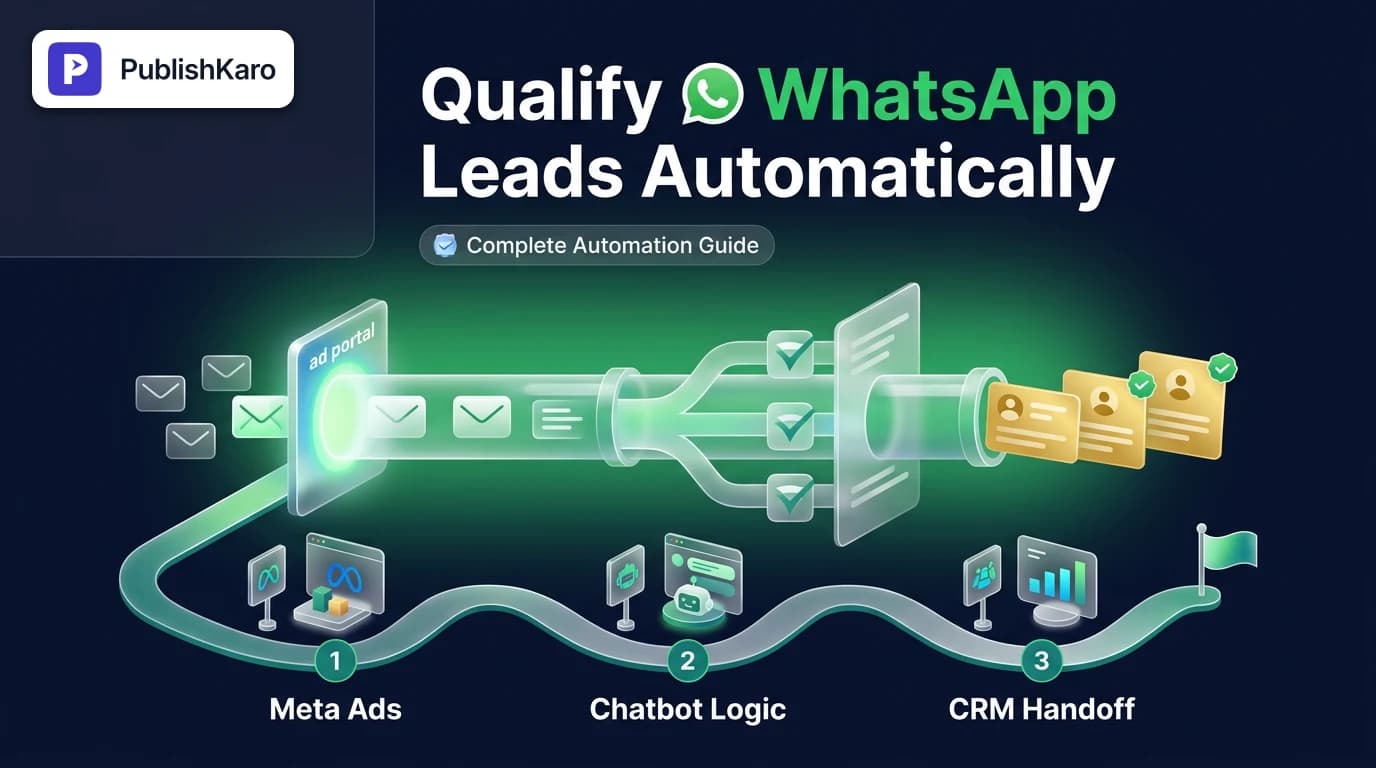
Click to WhatsApp Intake Funnel
Shows how prospects move from initial ad engagement to automated qualification and CRM handoff. This eliminates manual response delays and filters out casual inquiries instantly.
Lead Triage and Routing Decision
Demonstrates how incoming leads are evaluated based on their budget and timeline answers. High-intent buyers reach live reps immediately while other contacts receive self-serve resources.
Essential Data for Lead Scoring
Illustrates the core criteria gathered during automated chat flows to determine buyer qualification. Collecting these inputs creates accurate lead profiles before reps spend time on sales calls.
Practical Examples
Example 1: B2B Technology & Professional Services
A software consultancy runs Instagram Stories ads targeting mid-market operations directors. The user taps the ad, which opens WhatsApp with the pre-filled text: "I'd like to explore workflow automation."
Bot: "Welcome! To point you to the right specialist, what size is your team?"
- Button A: 1–10
- Button B: 11–50
- Button C: 50+
- User selects: "11–50"
Bot: "Got it. What is your estimated rollout timeframe?"
- Button A: This month
- Button B: Next quarter
- Button C: Just exploring
- Outcome: If the user selects "This month," the system assigns the lead as high-priority, pings the account executive channel in Slack, and outputs a direct booking calendar link inside WhatsApp. If "Just exploring," the bot delivers a whitepaper and tags the contact for monthly educational updates.
Example 2: Real Estate / High-Ticket Physical Products
A residential developer runs Meta Ads promoting a luxury development.
- Lead clicks ad, pre-filled with: "Hi, please share pricing for the Westside Residences."
- Bot acknowledges: "Hello! We have 2-bedroom and 3-bedroom penthouses available. Which layout fits your family?" (Buttons: 2-Bed | 3-Bed)
- Follow-up question: "Our residences start at $450,000. Is this within your planned investment range?" (Buttons: Yes, ready to view | Looking for lower price points)
- Outcome: A "Yes" response immediately patches an on-duty property consultant into the WhatsApp conversation within 60 seconds to offer a live video walkthrough or private viewing.
For businesses running comprehensive acquisition across local and regional footprints, coordinating paid social with local search visibility provides a powerful organic buffer. Review our strategy breakdown on how to rank in Google Map Pack to capture buyers searching across both search engines and social platforms.
Optimizing the Entire Lead Generation Ecosystem
Automating your WhatsApp inbox works best when your broader brand presence signals authority. A prospect who chats with you on WhatsApp may also check your website, explore your social profiles, or read customer reviews before confirming a transaction.
Maintaining visual consistency across channels builds immediate trust when buyers click through your ads. Our guide on how to design responsive logos for brands details how to maintain recognizable branding across micro-assets like social avatars, ad banners, and chat headers.
Similarly, organic content consistency keeps top-of-funnel audiences familiar with your brand. Teams struggling to maintain an editorial cadence can review our system for how to build a social media content calendar. To streamline social execution, the PublishKaro publishing app allows teams to plan posts in Google Sheets, automatically generate platform-ready captions, run spell-checks across media text, and publish directly to Instagram, Facebook, LinkedIn, and YouTube via official APIs.
If you want a fully managed approach across campaigns, creative assets, and tracking infrastructure, explore PublishKaro's full service offerings, which span paid ads management, search engine optimization, and custom Next.js websites. You can also discover more insights and operational workflows across our library of PublishKaro blog articles.
Technical Considerations and Compliance
When scaling Click to WhatsApp advertising, adhere strictly to operational best practices:
- 24-Hour Customer Service Window: When a user messages your business from an ad, you enter a 24-hour service window where free-form messages can be exchanged without template restrictions. Make sure your qualification flow completes within this window.
- Data Privacy and Opt-In: Ensure your chat flows state clearly that conversations are handled in accordance with your privacy policy. Avoid asking for highly sensitive personal data inside public messaging threads unless secure authentication is implemented.
- Website Infrastructure: If your qualification bot sends users back to landing pages, documentation, or portals, those web assets must be fast and reliable. For businesses running core sites on popular CMS platforms, technical performance directly impacts bounce rates. Explore how to fix high TTFB in WordPress if your destination sites suffer from latency.
Checklist
Use this operational checklist before turning on Click to WhatsApp ad spend:
- Meta Ads Setup: Destination set to WhatsApp Business API number with verified business manager status.
- Pre-Filled Prompts: Unique, high-intent conversation starter configured for each ad set.
- WhatsApp Business API: Active account connected to a workflow platform, webhook receiver, or conversational AI engine.
- Qualification Logic: Maximum of 3 to 5 targeted questions focusing on budget, use case, and timeline.
- Interactive Elements: Quick-reply buttons configured to minimize mobile typing fatigue.
- CRM Synchronization: Webhooks mapped to update contact properties and lead scores in real time.
- Routing Protocols: Clear distinction between immediate sales agent handoff and automated nurture paths.
- Fallbacks and Business Hours: Automated response logic for out-of-hours inquiries and agent availability changes.
- End-to-End Testing: Simulated ad click verified from an external mobile device through to final CRM deal stage.
Key Takeaways
- Friction reduction requires smart filtering: Click to WhatsApp ads generate massive volume; automated intake stops low-intent chats from draining sales resources.
- Pre-qualify at the ad level: Tailor ad copy and default pre-filled conversation starters to filter out casual inquiries before the first message is sent.
- Use the official WhatsApp API: Advanced routing, custom UI buttons, and automated webhooks require the WhatsApp Business Platform rather than the consumer app.
- Keep intake brief: Restrict qualification sequences to 3–5 high-impact questions using interactive quick-reply buttons.
- Integrate immediately with your CRM: Route high-intent leads to active agents within seconds while placing early-stage contacts into automated nurture tracks.
Frequently asked questions
Can I qualify Click to WhatsApp leads using the free WhatsApp Business app?
No, the standard WhatsApp Business mobile app only supports basic greeting messages and quick replies. Automating multi-step question flows, interactive button menus, and real-time CRM lead routing requires the official WhatsApp Business Platform (API).
How many questions should my automated qualification flow ask?
Keep your qualification flow between three and five questions. Asking too many questions causes mobile drop-off, while asking fewer than three often fails to give your sales team enough context to prioritize the conversation.
What happens if an unqualified lead insists on speaking with an agent?
Your automation can be programmed with graceful fallback options. The bot can provide links to public pricing sheets, documentation, or self-serve portals, explaining politely that live consultations are reserved for specific project scopes or enterprise tiers.
How quickly should a human sales rep take over once a lead is qualified?
Ideally within two to five minutes while the prospect is still active in WhatsApp. Fast response times directly correlate with higher conversion rates, as mobile messaging users expect near-instant interactions.
Do automated qualification messages count toward WhatsApp conversation costs?
When a user initiates a conversation by clicking a Click to WhatsApp ad, Meta provides a free 72-hour customer service window under current messaging guidelines. Messages sent during this window do not incur standard per-conversation API fees, making automated qualification cost-effective.
How do I handle leads who drop off midway through qualification?
Configure an automated follow-up ping scheduled between 15 and 30 minutes after abandonment. A friendly nudge reminding them of their selected product or asking if they need clarification often re-engages the conversation without manual intervention.