Understanding Instagram Trial Reels
Instagram Trial Reels represent a major shift in how brands, creators, and business profiles publish organic short-form video. Traditionally, every Reel published to an account appeared immediately in the main feed and was distributed first to current followers. If an audience failed to engage within the first few minutes, algorithmic reach often plateaued.
With Trial Reels, Meta lets creators display a video exclusively to non-followers for an evaluation window—typically up to 72 hours. During this period, the Reel does not appear on your main profile grid or in your existing followers' primary feeds. Instead, the algorithm tests the video against lookalike audiences and interest clusters across the Reels tab and Explore surface. If the video performs well based on watch time, likes, shares, and completion rates, you can choose to publish it permanently to your profile grid for your core followers to see.
For growing businesses balancing organic discovery and brand consistency, learning how to schedule instagram trial reels is an essential workflow upgrade. It removes the pressure of manual daily posting while maintaining a clean, curated profile grid for prospective clients and returning customers.
To understand Meta's official tools and platform requirements, you can review documentation in the Facebook Business Help Center.
Why Scheduling Trial Reels Matters for Growing Businesses
When managing a brand account, publishing haphazardly disrupts analytics and drains creative resources. Here is why scheduling your trial reels in advance is critical:
- Structured Hook and Audience Testing: You can batch multiple variations of a message or concept throughout the week. By examining how separate trial reels perform, you can refine your creative direction before making videos permanent.
- Protecting Brand Aesthetics: Not every experimental piece of content fits a polished feed. Trial reels let you run experimental videos without cluttering your main grid unless they demonstrate strong organic traction.
- Eliminating Off-Hours Manual Publishing: If your target audience lives across different time zones, manually tapping "Share" at midnight or early morning is unsustainable. Scheduling ensures timely deployment.
- Integrating with Wider Marketing Initiatives: When your trial reels align with your overall social media calendar, you can tie organic tests directly to paid campaigns, email sequences, or promotional launches.
When planning a comprehensive release schedule, teams often start by establishing a broad social media content calendar. This prevents duplicate experiments and ensures steady production.
How to Schedule Instagram Trial Reels: Step-by-Step
Because Trial Reels rely on native testing parameters that evaluate initial audience signals, executing the setup correctly within the Instagram app is crucial. Follow these practical steps to configure and schedule your trial posts.
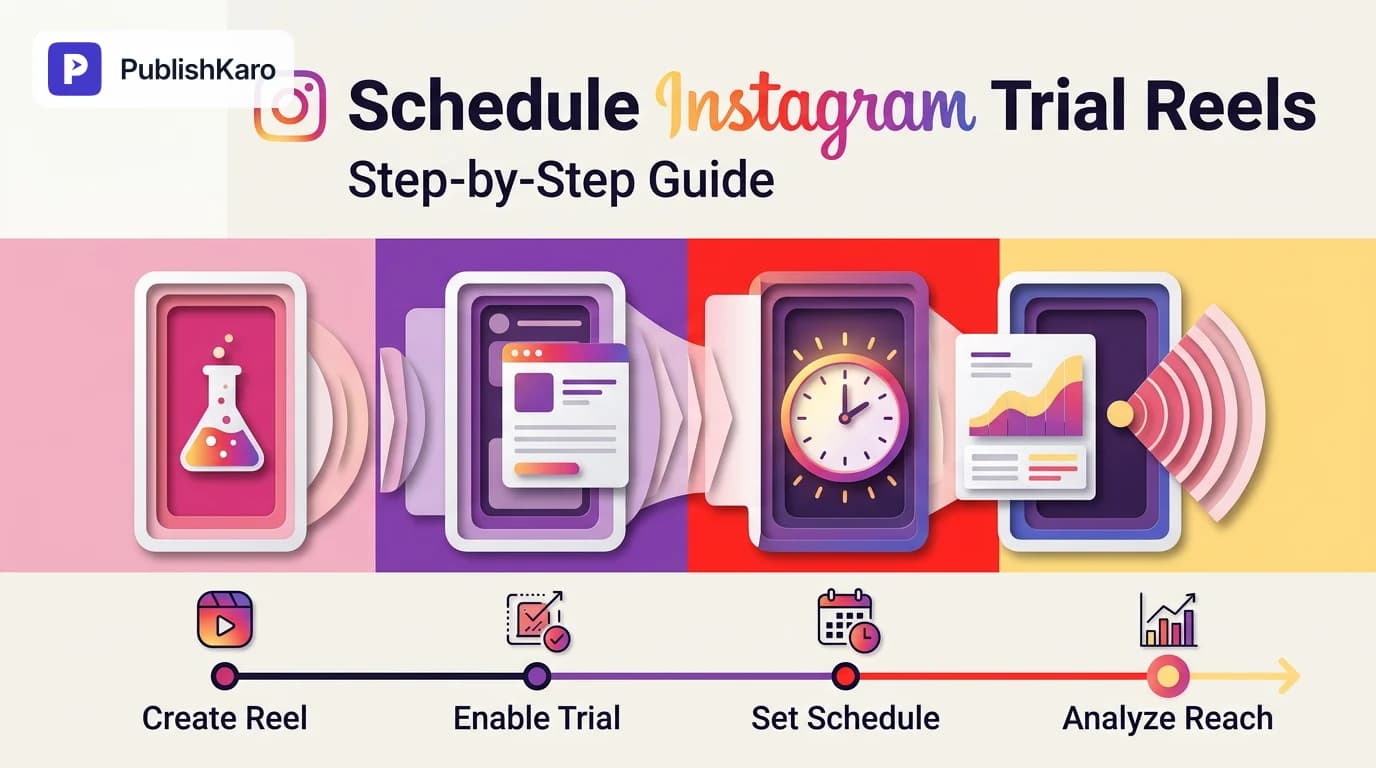
Step 1: Prepare and Edit Your Reel
Open the Instagram mobile app on your Business or Creator account. Tap the + (Create) icon at the bottom or top of your screen, select Reel, and record or import your video file. Trim clips, add captions, configure background audio, and insert on-screen text overlays.
Step 2: Access Sharing Settings and Activate Trial Mode
Proceed to the final share screen where you enter your caption, tags, and cover image. Scroll through the available options to locate the Trial Reel (or "Share as trial") toggle switch. Toggle this feature on. A prompt will confirm that the video will only be shown to non-followers for up to 72 hours.
Step 3: Configure Advanced Scheduling Options
Scroll down to the bottom of the screen and tap Advanced settings. Locate the toggle labeled Schedule this reel. Turn it on, and a date and time picker will appear. Select your desired publication time—up to 75 days in advance—and tap Done.
Step 4: Finalize and Confirm Schedule
Return to the main sharing screen. The bottom action button will now read Schedule instead of "Share." Tap Schedule. Instagram will upload the media asset to Meta's servers and store it in your scheduled content queue, where it will trigger automatically at the designated time.
Step 5: Reviewing and Managing Scheduled Trials
To verify or modify your scheduled trial reel:
- Navigate to your Instagram profile.
- Tap the hamburger menu (three horizontal lines) in the top-right corner.
- Tap Scheduled content.
- Select the video to adjust its timing, edit captions, or delete the post if campaign priorities shift.
API Capabilities and Third-Party Scheduling Platforms
Many marketing teams prefer managing their queues from a centralized desktop dashboard rather than a mobile device. However, when working with external tools, it is vital to understand the operational constraints of Meta's graph endpoints.
Meta documents developer endpoints publicly in the Instagram Platform Developer Documentation. At present, the native "Trial Reel" feature is primarily managed through the native Instagram mobile application. While standard Reels can be published and scheduled programmatically via official publishing endpoints, the specialized trial mode toggle may not be accessible through every third-party management platform.
For businesses that manage extensive multichannel pipelines, relying on structured data workflows can streamline publishing operations. For instance, teams running automated content distributions often reference the Google Sheets API documentation to build structured planning sheets that store media links, hooks, and publishing timestamps.
At PublishKaro, we built The PublishKaro publishing app around this philosophy: brands plan their posts in Google Sheets, automated intelligence formats captions from the customer's saved prompt, strict spell-checks run against captions and embedded media text, and posts are queued and published across networks via official APIs with status tracking pushed directly back into the spreadsheet.
Best Practices for Testing Video Hooks on Trial Reels
Because trial reels are delivered directly to non-followers, the initial three seconds of your video dictate whether a viewer scrolls or stays. Optimizing these early seconds is crucial.
- Front-Load the Core Benefit: Never open with long logo animations or extended introductions. State the specific solution or problem immediately in the first visual frame.
- Use Dynamic Visual Hooks: Combine spoken dialogue with dynamic text cards and movement to capture attention even if sound is off.
- Align Hooks with Paid Campaigns: Testing creative concepts on organic trial reels allows you to identify top-performing angles before spending advertising budget. For deeper tactical guidance on hooking audiences, explore our guide on how to improve video ad hook rate.
- Monitor 72-Hour Performance: After the trial period ends, analyze the insights. If the clip generates exceptional retention, tap the three dots on the post and select Share to profile to integrate it into your permanent feed.
If your organization requires comprehensive design assets, identity assets, or creative revamps to support short-form content, check out our insights on how to design responsive logos for brands or discover our full range of social publishing resources.
Comparison Table
Understanding when to use a standard scheduled Reel versus a scheduled Trial Reel ensures your feed strategy aligns with broader business goals.
| Feature / Attribute | Scheduled Standard Reel | Scheduled Trial Reel |
|---|---|---|
| Target Audience | Existing followers + Explore / Reels recommendations | Exclusively non-followers during the initial testing period |
| Profile Grid Placement | Immediately appears on your main grid / Reels tab | Hidden from profile grid during the trial (up to 72 hours) |
| Primary Objective | Audience retention, community nurturing, product updates | Discovery, cold audience acquisition, hook experimentation |
| Scheduling Location | Mobile App, Meta Business Suite, Official APIs | Primarily native Instagram mobile app (Advanced settings) |
| Follower Feed Impact | Appears immediately in active followers' home feeds | Zero impact on active followers' feeds during the trial |
| Post-Test Option | Permanently live unless manually archived | Can be shared to profile grid or left as an unlisted discovery reel |
Visual guide
Scheduling a Trial Reel in Instagram
Follow these native app steps to test video hooks with non-followers on a scheduled timetable without manual posting.
Post-Trial Evaluation and Publishing Flow
Evaluate your video metrics after the 72-hour testing window to decide whether to add it to your permanent profile grid.
Choosing Between Standard and Trial Reels
Select the right reel format based on your campaign objective, audience target, and feed presentation needs.
Practical Examples
Example 1: Local Service Business Testing Video Angles
A service firm based in Jaipur wanted to test three distinct angles explaining commercial renovations without fatiguing its existing local follower base. Using the Instagram app, the marketing specialist scheduled three separate Trial Reels spread across Monday, Wednesday, and Friday morning.
By keeping the videos off the main profile grid, existing followers did not see repetitive variations. After 72 hours, the Wednesday reel—which highlighted cost breakdowns—achieved triple the average retention rate of the other two clips. The manager then selected "Share to profile," cementing the proven hook on their main feed.
Example 2: Direct-to-Consumer Brand Launching a Product
An online apparel merchant planned a seasonal product drop. Rather than guessing which visual aesthetic resonated with cold traffic, they scheduled four 15-second trial clips displaying the product in different environments (studio lighting, outdoor streetwear, flat-lay detail, and unboxing).
Because the reels were scheduled 5 days in advance using Instagram's native advanced settings, the social media team maintained regular operations without manual weekend publishing. The top-performing video generated significant organic discovery among non-followers and was subsequently adapted into a paid creative asset for Meta Ads campaigns.
Common Troubleshooting Steps
If you run into issues while scheduling trial reels, work through these standard operational checks:
- Trial Toggle Missing: Trial reels are rolled out incrementally across regions and account classifications. Ensure your account is set to a Creator or Business profile rather than Personal. Check the Google Play Store or Apple App Store to confirm your app is updated to the latest build.
- Cannot Find Scheduled Content: If a scheduled video does not appear in your queue, verify that the media finished uploading before you exited the app. Tapping out of the upload process prematurely can discard the scheduled draft.
- Post Goes Live to Followers Immediately: Double-check that both the "Trial Reel" toggle AND the "Schedule this reel" toggle were enabled prior to tapping "Schedule." If one toggle is missed, the post may default to an instant public feed publication.
- Audio Copyright Restrictions: If you schedule a Reel using trending commercial music that later loses its regional distribution license, the scheduled post may fail to publish or post muted. Use original audio or royalty-cleared tracks whenever scheduling critical business assets.
Checklist
Use this quick checklist every time you schedule an Instagram trial reel:
- Account is set to a verified Creator or Business profile.
- Video aspect ratio is optimized at 9:16 (1080 x 1920 pixels).
- Visual hook and primary text appear within the first 3 seconds.
- Captions and on-screen text are checked for grammatical and spelling accuracy.
- "Trial Reel" toggle is switched ON in the primary sharing drawer.
- "Advanced settings" opened and "Schedule this reel" switched ON.
- Target date and optimal time zone selected.
- Cover frame selected to ensure proper display if promoted to the grid later.
- Post confirmed by tapping the blue "Schedule" button.
- Calendar entry logged to review trial insights 72 hours post-publish.
Integrating Social Publishing into Your Marketing Engine
Testing content with Instagram trial reels is one piece of a comprehensive digital marketing strategy. Organic video discovery attracts non-followers, but conversion requires reliable web experiences, robust technical foundations, and deliberate search visibility.
When non-followers discover your brand through a viral trial reel, they frequently tap your profile link to explore your website. If that destination loads slowly or provides a poor checkout experience, your organic reach goes to waste. Modern brands pair organic video publishing with fast custom websites, optimized Shopify stores, and structured WordPress sites.
Similarly, testing creative hooks organically informs other acquisition channels. Top-performing video assets can be repurposed into high-converting paid campaigns managed through dedicated ads management, while search authority is built using proven SEO & Google Business strategies. For brands exploring technical search best practices, reviewing Google's guidelines on SEO fundamentals and structured data implementation provides the foundation needed to capture high-intent search volume.
Whether you need hands-on assistance via our dedicated social media management services or full-scale creative execution, PublishKaro handles campaigns across industries. Every project is quoted after a free discovery call, delivered at a fixed price agreed in writing, and the client owns every account, file, and creative asset produced.
Key Takeaways
- Trial Reels Target Non-Followers: This feature displays your short-form videos exclusively to non-followers for up to 72 hours, allowing real-world organic testing without impacting existing follower feeds.
- Scheduling Frees Operational Time: Leveraging the "Schedule this reel" option under Advanced Settings allows brands to queue experiments up to 75 days in advance.
- Protects Main Grid Quality: Underperforming experiments remain isolated from your primary profile, while winning clips can be permanently shared to your grid once validated.
- Hooks Determine Reach: Because the algorithm evaluates trial videos against cold viewers, front-loading clear visual and auditory hooks in the first 3 seconds is mandatory.
- Native Mobile App Focus: Because trial toggles are native features, scheduling trial reels is primarily executed directly through the official Instagram mobile interface rather than basic API endpoints.
Frequently asked questions
Can existing followers see my scheduled trial reel?
No. During the trial period—which lasts up to 72 hours—Instagram distributes the video exclusively to non-followers across the Reels tab and Explore page. Your current followers will not see it on their home feeds or your main profile grid unless you explicitly share it to your profile after the trial concludes.
How far in advance can I schedule an Instagram trial reel?
Using Instagram's native in-app scheduling feature within Advanced Settings, you can schedule reels up to 75 days in advance. Simply select your chosen date and time before tapping the schedule button.
Can I schedule trial reels using third-party social media schedulers?
Most third-party tools connect via Meta's standard Content Publishing Graph API, which handles regular Reel scheduling but does not consistently support the proprietary trial reel testing toggle. For guaranteed trial mode deployment, schedule directly through the native Instagram mobile app.
What happens after the 72-hour trial reel period ends?
Once the trial window closes, Instagram provides performance metrics indicating how non-followers engaged with the content. You can then choose to publish the reel permanently to your profile grid so existing followers can view it, leave it as an unlisted discovery reel, or archive it entirely.
Does scheduling a reel negatively affect its organic algorithmic reach?
No. Meta's algorithm treats scheduled reels identically to manually published reels. Distribution is determined by audience retention, watch time, completion rate, and engagement signals, not whether the post was queued in advance.