Understanding the Core Messaging Framework
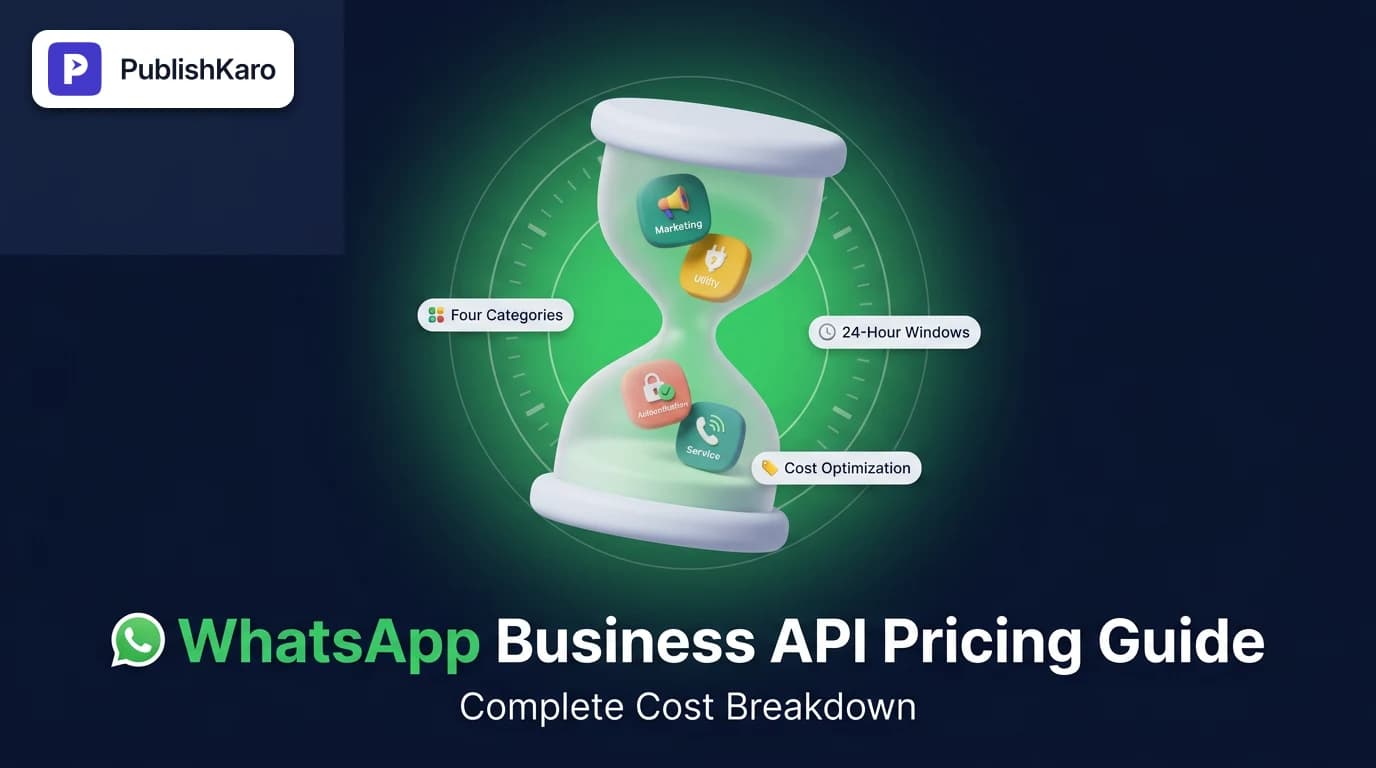
To manage communications budgets effectively, every growing brand needs clear whatsapp business api pricing changes explained without technical jargon or vague estimates. Meta structures WhatsApp Business Platform billing around conversations rather than individual notifications. A conversation represents a dedicated 24-hour session between your business and an individual customer.
Within that 24-hour window, your business and the customer can exchange an unlimited number of messages without incurring additional per-message fees from Meta, provided the conversation remains within the scope of the initiating category. When you connect Meta's platform to your CRM or custom automation, understanding these rules prevents billing surprises and simplifies your forecasting.
According to the official technical guidelines in the Meta WhatsApp developer documentation, charges vary significantly depending on the market and the specific conversation category. You can explore how automation fits into broader operational infrastructure through our AI chatbots and WhatsApp automation services.
Modern platforms rely heavily on structured whatsapp conversation based pricing, ensuring that companies are charged based on interactive engagements rather than arbitrary delivery tallies. Understanding this structure allows growth-focused teams to plan outbound campaigns alongside customer support pipelines with predictable operational expenditures.
Business-Initiated vs. User-Initiated Conversations
Conversations fall into two fundamental structural types under Meta's platform architecture:
- Business-Initiated Conversations: Occur whenever your system sends an outbound pre-approved template message to a user who does not have an active 24-hour window open with your business profile. These include promotional announcements, shipping updates, order confirmations, and one-time passcodes.
- User-Initiated (Service) Conversations: Start when a customer messages your brand first, and your team or automated bot replies with a free-form message within the standard 24-hour customer care window. Once you respond, a service conversation officially opens.
When calculating whatsapp business api cost per message, companies quickly realize that sending multiple updates within an established 24-hour conversation window dramatically reduces the effective cost of each individual customer interaction.
The Four Conversation Categories Explained
Meta classifies every interaction into four distinct categories. The category determines both the cost tier and the approval requirements for outbound templates.
1. Marketing Conversations
Marketing templates represent any outbound communication promoting products, services, special offers, abandoned cart reminders, or brand awareness. These typically carry the highest rate per conversation across all global regions because they drive direct commercial value.
If you coordinate outbound promotions across channels, integrating your WhatsApp marketing calendar alongside your social publishing workflow helps maintain consistent campaign timing. Learn more about unified posting via the PublishKaro publishing app.
Marketing templates require manual or automated review by Meta before they can be sent to end users. If an outbound marketing message is delivered to a contact, it immediately opens a 24-hour marketing conversation window. If your team sends three additional promotional updates to that customer within those 24 hours, no additional marketing session charge is incurred.
2. Utility Conversations
Utility templates deliver critical transactional information tied directly to an agreed transaction or ongoing user request. Common examples include order receipts, delivery tracking alerts, billing notifications, and appointment reminders. Utility conversations are billed at a substantially lower rate than marketing conversations.
To qualify as utility messages, templates must strictly relate to an active transaction. Including promotional language, discount codes, or upsell offers inside a utility template causes Meta's approval systems to recategorize it as marketing, triggering the higher billing rate.
3. Authentication Conversations
Authentication templates allow businesses to authenticate users with one-time passwords (OTPs) during account registration, login verification, or password recovery steps. These templates face strict structural constraints: they cannot contain URLs, media, or emojis, and Meta prices them lower than marketing messages in most target territories.
Meta enforces dedicated formatting requirements for authentication. Businesses must use predefined template presets that dynamically insert the numeric code, verification button, and expiration timing. This category helps companies protect user identity while keeping verification costs economical.
4. Service Conversations
Service conversations cover all customer-initiated support dialogs. When a customer sends an inbound inquiry—such as asking about sizing on your custom Shopify stores or inquiring about delivery timelines—and your business answers with a free-form message, Meta logs a single service conversation charge. Free-form customer replies do not require pre-approved templates.
Service conversations provide customer support teams with maximum operational flexibility. Once a support representative or automated workflow replies to an inbound inquiry, the team can exchange troubleshooting steps, documentation links, images, and voice notes without recurring per-message costs for the duration of the 24-hour service window.
Free Tier Allocations and Click-to-WhatsApp Ads
Meta provides distinct cost-relief mechanisms that assist small and mid-sized enterprises in scaling their messaging operations efficiently.
The 1,000 Free Service Conversations Monthly Quota
Each WhatsApp Business Account (WABA) receives 1,000 free service conversations every calendar month. These free conversations apply exclusively to user-initiated service conversations. Business-initiated templates (marketing, utility, and authentication) never consume this free allocation.
For many local businesses and boutique agencies, this free tier completely covers regular monthly customer service volume. Even as your audience grows, the 1,000 monthly free conversations reset automatically at the beginning of each billing cycle, keeping customer support overhead predictable.
Click-to-WhatsApp Ads Free Entry Window
When a prospective customer initiates a conversation by clicking an ad on Facebook or Instagram that directs to WhatsApp, or taps a call-to-action button on your Facebook Page, Meta extends special terms. As outlined in the Meta Business Help Center, the resulting conversation incurs zero Meta conversation charges, and Meta extends the free customer service window to 72 hours instead of 24 hours.
During this 72-hour window, businesses can send both free-form messages and approved template messages of any category without paying Meta conversation fees. Managing ad campaigns alongside direct messaging funnels allows brands to optimize acquisition costs; explore our approach to Meta Ads and Google Ads management to align paid campaigns with your messaging infrastructure.
Comparison Table
| Conversation Category | Initiator | Primary Use Case | Relative Cost Tier | Requires Pre-Approved Template? |
|---|---|---|---|---|
| Marketing | Business | Promotions, product launches, cart reminders | Highest | Yes |
| Utility | Business | Order tracking, account updates, receipts | Moderate | Yes |
| Authentication | Business | Login OTPs, account verification codes | Low to Moderate | Yes (Strict format) |
| Service | User | Customer support, product inquiries, complaints | Lowest (First 1,000/mo free) | No (Free-form within window) |
| Click-to-WhatsApp | User via Paid Ad | Inbound lead generation from Meta ad units | Free (72-hour window) | No |
Note: Exact per-conversation figures vary by recipient country code and can be reviewed directly in Meta's published rate cards.
Practical Examples
Understanding billing mechanisms in practice helps prevent duplicate conversation charges. Here are three common real-world workflows.
Example 1: The E-Commerce Order and Delivery Journey
A customer purchases an item on a brand's website. The store sends an automated utility notification: "Your order #1042 has shipped! Track it here."
- Cost incurred: Exactly 1 Utility Conversation charge.
- Outcome: A 24-hour utility window opens. If the store sends another delivery update 6 hours later within that window, no additional charge is billed.
- If the customer replies 12 hours later asking, "Can the courier leave this at my back door?", the store can reply freely without initiating a service conversation fee, because the original 24-hour utility session covers the operational exchange.
Example 2: Mixing Marketing and Support Requests
A brand runs a seasonal campaign and delivers a marketing template: "Our summer sale is live! Take 20% off with code SUMMER."
- Cost incurred: 1 Marketing Conversation charge.
- Two hours later, the customer replies: "Does this discount apply to custom items?"
- The business responds with a personalized answer. Because a business-initiated marketing session is already open, customer support replies do not open a separate service conversation.
- However, if the business sends an authentication code to verify an account change while that marketing window is active, a separate authentication conversation charge opens in parallel.
Example 3: Managing Inbound Pre-Sale Queries
A shopper browsing your portfolio lands on an informational guide—such as our breakdown on website speed optimization for small business—and clicks an embedded WhatsApp chat button to ask a technical question.
- The user writes: "Hi, can you explain your website redesign timelines?"
- When the team responds, 1 Service Conversation begins.
- If the account has not yet used its 1,000 monthly free service tier conversations, this interaction costs zero platform fees.
Visual guide
Categorizing Outbound WhatsApp Templates
Meta inspects outbound template text to decide conversation rates. Avoiding promotional language ensures your transactional messages stay in lower cost tiers.
Customer Service Billing and Free Quota
See how inbound inquiries use your 1,000 monthly free conversations before triggering standard service session charges.
Calculating Total WhatsApp Operating Cost
Your monthly WhatsApp budget combines platform fees from Meta with software and infrastructure management costs.
How Partner Pricing and Hosting Fees Impact Total Cost
Meta bills the underlying conversation rates, but most businesses do not access Meta's raw infrastructure directly. Instead, companies connect through Business Solution Providers (BSPs) or customer communication platforms.
Your total cost of ownership typically comprises three layers:
- Meta Conversation Fees: The baseline fees Meta charges based on conversation category and country destination.
- BSP Markup or Session Fee: Some software providers add a small per-message surcharge or per-conversation fee on top of Meta's rates, while others charge a flat SaaS subscription without per-message markups.
- Platform Management and Automation Software: The CRM or ticketing system used to triage, assign, and automate workflows across customer service representatives.
At PublishKaro, we develop intelligent conversational setups and custom business integrations through our AI automation solutions. For clients requiring bespoke digital storefronts or web applications, our agency provides custom website development services as well as WordPress development. Every project is quoted after a free call, at a fixed price agreed in writing, ensuring complete ownership of all accounts and assets.
If you use video creative to fuel messaging campaigns, our published rates cover video production directly: Motion graphics reels: ₹2,000–₹5,000 per 1-minute video; Animated-film style 3D: ₹4,000–₹10,000 per 1-minute video; Video editing for every feed: ₹1,000–₹5,000 per 1-minute video; AI video: ₹3,000–₹10,000 per 1-minute video.
Checklist for Optimizing WhatsApp API Costs
Use this step-by-step checklist to audit your conversational workflows and reduce unnecessary billing overhead:
- Audit Template Classifications: Review all message templates in Meta Business Manager to ensure utility messages are not mistakenly classified as marketing messages.
- Consolidate Outbound Notifications: Group related updates (such as order confirmation and dispatch notices) when timing permits to stay within a single 24-hour window.
- Prioritize User Inbound Prompts: Leverage on-site chat widgets, organic social links, and QR codes to encourage users to initiate inquiries first, maximizing your 1,000 free monthly service conversations.
- Implement Fast Support Routing: Equip support teams with automated routing or PublishKaro AI assistants to resolve customer questions within the initial 24-hour service window before it expires.
- Separate OTP and Transactional Infrastructure: Ensure your authentication templates adhere strictly to OTP guidelines so they are never flagged or priced as marketing campaigns.
- Deploy Click-to-WhatsApp Ad Campaigns: Use Click-to-WhatsApp ads for lead generation to take advantage of the 72-hour free conversation window for newly acquired leads.
- Prune Inactive Contact Lists: Clean your CRM database regularly to avoid sending marketing templates to discontinued or inactive phone numbers.
Key Takeaways
- Meta bills WhatsApp Business API usage based on 24-hour conversation sessions, not individual outbound messages.
- Conversations fall into four distinct categories: Marketing, Utility, Authentication, and Service, each carrying separate price points.
- Marketing conversations carry the highest per-session rates, while utility and service conversations are significantly more economical.
- Every WhatsApp Business Account receives 1,000 free user-initiated service conversations per month.
- Click-to-WhatsApp ads provide an extended 72-hour window during which no conversation fees apply.
- Reviewing your templates regularly ensures you are not paying promotional rates for routine account notifications.
Integrating WhatsApp into an Omnichannel Strategy
WhatsApp messaging functions best as part of an integrated communication stack. When paired with effective organic discovery via SEO and Google Business Profile management and strong technical foundations, customer touchpoints reinforce each other seamlessly.
For instance, brands maintaining optimized content architectures—as detailed in our guide on how to get cited in Google AI Overviews—drive organic visitors directly into automated WhatsApp intake flows. Similarly, e-commerce stores refining technical performance, such as learning from our guide on website speed optimization for small business, enjoy higher conversion rates when conversational chat buttons load instantly.
If your marketing team coordinates broader content campaigns across social media, combining WhatsApp alerts with multi-channel social workflows builds brand authority. Review our insights on cross-posting Instagram Reels to YouTube Shorts and managing visual branding effectively in our breakdown of how much rebranding costs small business owners. You can explore all our strategic playbooks across design, development, and automation in the PublishKaro blog.
Frequently asked questions
How does Meta calculate a 24-hour conversation window?
A conversation window starts the moment a business-initiated template message is delivered or when a business sends its first reply to an inbound customer message. Once opened, that specific conversation session lasts exactly 24 hours from the initial delivery timestamp, regardless of how many back-and-forth messages occur within that category.
Are inbound messages from customers free on the WhatsApp Business API?
Yes. Meta does not charge your business simply because a customer sends you an inbound message. Billing only begins when your business or chatbot sends a response to that user, which opens a 24-hour service conversation session.
Can multiple conversation windows run at the same time for the same user?
Yes. If an active service or utility conversation is open and your business sends an outbound marketing template to that same customer, a separate marketing conversation opens and is billed concurrently. Both windows run on their own independent 24-hour timers.
What happens if a customer replies after the 24-hour window expires?
If a customer sends a message after a previous 24-hour window has expired, your reply opens a completely new 24-hour service conversation. If your business has unused free service conversations remaining in your monthly 1,000-conversation quota, that new session incurs no Meta charge.
Do software solution providers charge extra on top of Meta's pricing?
Many Business Solution Providers (BSPs) charge platform software subscription fees, and some add a nominal per-conversation markup on top of Meta's baseline rates. Always verify whether your chosen platform bills Meta rates at cost or includes an additional routing margin.
What are the main WhatsApp template categories?
Meta classifies templates into three business-initiated categories: Marketing, Utility, and Authentication. A fourth category, Service, applies to user-initiated conversations that do not require pre-approved templates.
How do Click-to-WhatsApp ads reduce messaging costs?
When a user initiates a chat by clicking a Facebook or Instagram ad that directs to WhatsApp, Meta waives conversation fees and provides a 72-hour free messaging window, allowing businesses to communicate without per-conversation platform charges.