Why Small Teams Need a Structured Social Media Content Calendar
Small marketing teams often suffer from reactive publishing. When content creation happens on the morning an update must go live, quality drops, typos slip through, and strategic messaging disappears under the pressure to publish something quickly. Building a deliberate social media content calendar solves this operational bottleneck. By stepping back to plan posts in weekly or monthly batches, a lean team moves from daily panic to a reliable operational rhythm.
Instead of guessing what to write each morning, team members consult a documented schedule that aligns directly with product priorities, customer questions, and brand goals. A clear calendar also prevents team burnout. When business owners and solo marketers try to post multiple times per day across four networks without a system, they frequently abandon the effort within a few weeks.
In our dedicated social media management services, we see that consistency outperforms raw volume every time. Publishing three deliberate, high-value posts every week builds more lasting audience trust than publishing daily rushed updates that lack substance. Content planning also connects your channels to broader campaigns; for example, you can discover technical insights in our guide on how to add negative keywords to Performance Max to understand how paid search and organic messaging should complement each other rather than operating in silos.
Establishing Core Content Pillars
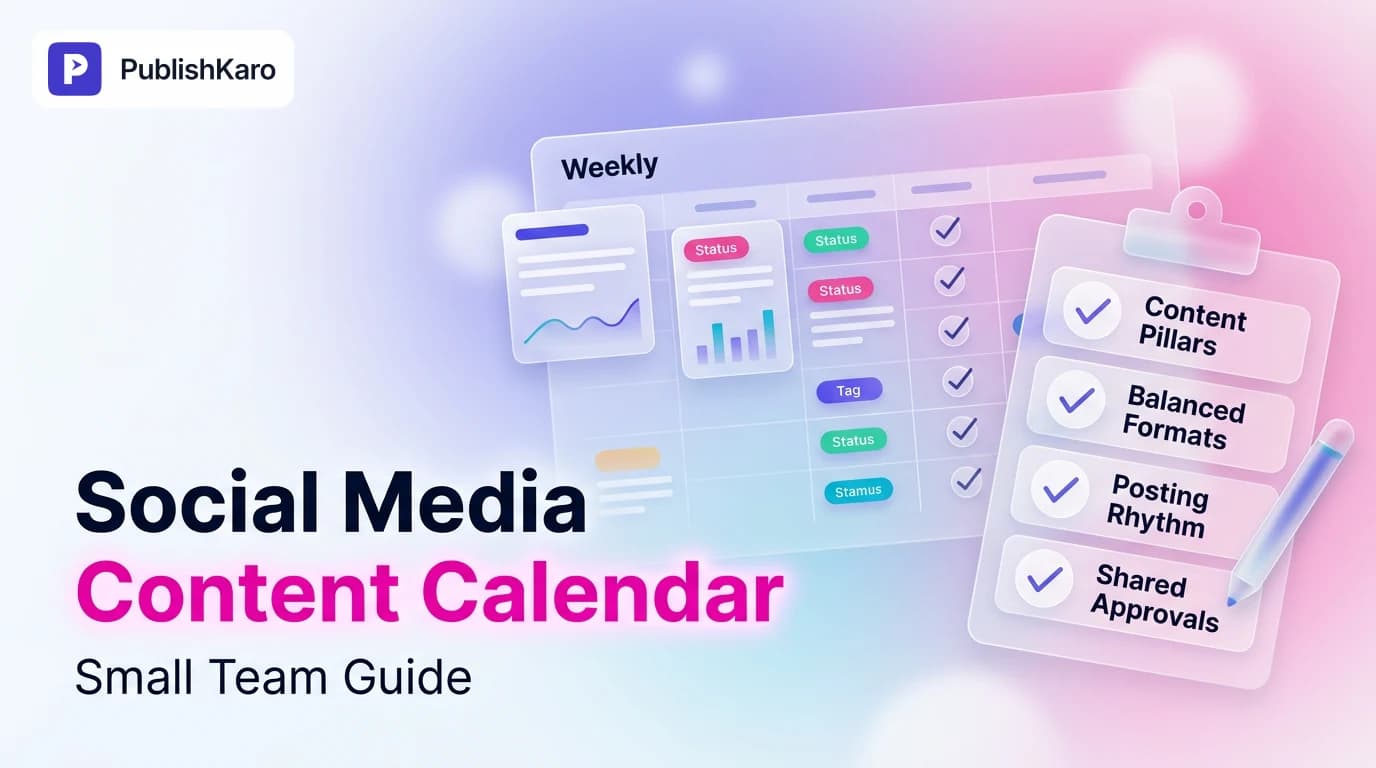
Every practical monthly content plan relies on content pillars: distinct, recurring themes that reflect your brand expertise and address your audience's challenges. Having defined pillars eliminates creative block because you never start with an empty canvas; you simply decide which pillar needs attention next.
For most service businesses, ecommerce stores, and agency teams, a balanced month uses three to five pillars:
- Educational & Problem-Solving: Practical tutorials, technical tips, and actionable frameworks that help your target audience solve specific operational pain points without buying anything.
- Proof & Case Studies: Demonstrating competence through real project transformations, workflow teardowns, and behind-the-scenes problem solving.
- Brand Perspective & Culture: Point-of-view commentary on industry developments, team standards, and the engineering principles behind your business.
- Product & Conversion: Explicit explanations of what you deliver, who it is for, how it works, and how prospective buyers can take the next step.
Limiting your plan to four pillars guarantees variety while keeping your messaging coherent across LinkedIn, Instagram, Facebook, and YouTube. When your pillars reflect core business offerings, you can direct readers seamlessly to specialized areas like our custom websites service or Shopify store development.
Balancing Fast-Turnaround and High-Production Formats
A common mistake small teams make when creating a social media content calendar is assigning equal production weight to every post. If every single item on your schedule requires a 60-second edited video with custom motion graphics, production bottlenecks are inevitable.
To build a sustainable rhythm, balance your calendar across two format speeds:
Low-Friction Formats (Fast Turnaround)
These assets take thirty minutes or less to conceptualize and finalize:
- Single-image graphics paired with detailed commentary.
- Text-only observations or curated questions on LinkedIn.
- Platform-native polls and brief industry reflections.
- Screengrab walkthroughs showing a quick software tip, design choice, or code snippet.
High-Value Anchor Formats (High Production)
These assets require planning, filming, editing, or deep design work:
- Short-form vertical videos and Reels (diagnosing reach issues early using guides like why Instagram Reels get fewer views).
- Multi-slide educational carousels requiring structured layout and typographic balance.
- In-depth product demonstration videos or customer breakdown interviews.
By scheduling only one or two high-production assets each week and surrounding them with low-friction formats, your team maintains visual variety without missing publication deadlines. If your video assets require dedicated support, we produce motion graphics reels for ₹2,000–₹5,000 per 1-minute video, animated-film style 3D for ₹4,000–₹10,000 per 1-minute video, general feed editing for ₹1,000–₹5,000 per 1-minute video, and AI video for ₹3,000–₹10,000 per 1-minute video. All other creative and technical projects are quoted after a free call, at a fixed price agreed in writing.
Establishing a Posting Rhythm You Can Keep
Algorithm myths convince many business owners that they must publish several times per day to achieve traction. In reality, modern recommendation engines focus on engagement depth and viewer retention, not raw output. For reference on how major networks handle developer integrations and media distribution, review the official Instagram Platform documentation and the operational guidance in the Meta Business Help Center.
A sustainable posting cadence for a team of one to three people typically looks like this:
- LinkedIn: 3 posts per week (e.g., Tuesday, Wednesday, Thursday).
- Instagram: 3 feed posts per week (mix of Reels and carousels) plus 2 to 3 casual Stories per week.
- Facebook: 2 to 3 cross-posted or repurposed educational updates per week.
- YouTube Shorts: 1 to 2 focused vertical videos per week.
Setting a modest baseline allows your team to maintain publishing integrity through product launches, client emergencies, or holiday periods. Consistency over twelve months builds far deeper audience equity than an unsustainable burst followed by weeks of silence.
Setting Up a Content Calendar Template in Google Sheets
While specialized project management software exists, a flexible spreadsheet remains the most resilient starting point. A spreadsheet lets your team review copy, approve visual assets, and confirm publishing dates without forcing external contributors to navigate complex dashboard permissions.
According to Google's official documentation on Sheets API concepts, tabular structures organize metadata into predictable rows and columns, making data exchange between human planners and automated tools straightforward. Furthermore, documenting publication goals mirrors technical best practices found in the Google SEO Starter Guide, where clear topic architecture helps both human readers and search engines navigate core ideas.
Essential Columns for Your Content Calendar Template
Your planning sheet should include these operational columns:
- Publish Date & Time: The intended go-live timestamp.
- Target Platform: LinkedIn, Instagram, Facebook, or YouTube.
- Content Pillar: The theme this post supports.
- Format: Carousel, Reel, Short, Single Image, or Text.
- Visual Asset Link: A direct URL to the approved image or video file stored in cloud storage.
- Caption Copy: The full text, including line breaks, hooks, and calls to action.
- Internal Approval Status: Draft, In Review, Approved, or Scheduled.
- Live Link / Published Status: A field recording the published URL once the asset is live.
For teams looking to remove manual copy-pasting entirely, the PublishKaro publishing app connects directly to Google Sheets: your team plans posts in rows, PublishKaro AI formats captions according to your custom brand prompt, an automated spell-check validates caption copy and graphic overlays, and official APIs schedule the updates directly to your accounts while writing live publishing statuses back to your Sheet.
Connecting Content Schedules to Broader Digital Assets
Your social media content calendar should not exist in isolation from your wider digital presence. Social content functions as the discovery layer of your marketing funnel; it directs interested prospects toward your owned platforms where conversions happen.
When planning posts, map specific updates back to your core website infrastructure:
- Custom Web Platforms: If your social posts highlight interactive tools or calculators, ensure they lead to high-performance pages like those we build in our custom websites service.
- Ecommerce Catalogs: If you run promotional or product education posts, link them to optimized product and collection pages built via dedicated Shopify store development.
- Content Hubs and Blogs: Use social updates to summarize insights from your written guides, driving visitors back to your WordPress web properties.
- Conversion Paths: Direct high-intent social traffic to conversational funnels, such as automated workflows explained in our guide on how to use WhatsApp Flows for lead generation.
Aligning your social publishing with your primary web assets ensures that audience attention converts into measurable inquiries, email subscribers, and paying customers.
Practical Examples
Here is how two different business models translate these principles into a monthly content plan with manageable production requirements.
Example 1: B2B Technology & Consulting Firm
A boutique software consultancy publishing to LinkedIn and YouTube with a one-person marketing team:
- Pillar 1 (Education - 40%): Weekly breakdown of common architectural mistakes, referencing deep-dive technical tutorials such as how to fix high TTFB in WordPress.
- Pillar 2 (Case Breakdown - 30%): Bi-weekly analysis of how an enterprise client resolved digital compliance issues, drawing parallels to regulatory requirements like those in our guide on preparing for the European Accessibility Act.
- Pillar 3 (Perspective - 20%): Thoughts on engineering culture and team workflows.
- Pillar 4 (Offer - 10%): Direct invitations to book an introductory technical audit.
- Cadence: Three LinkedIn posts per week (Tuesday, Wednesday, Thursday) and one YouTube Short on Friday.
Example 2: Direct-to-Consumer Lifestyle Brand
An independent consumer goods company publishing across Instagram and Facebook:
- Pillar 1 (Product Utility - 40%): Practical 15-second Reels demonstrating three distinct ways customers use the product at home.
- Pillar 2 (Behind the Scenes - 30%): Image carousels showcasing packaging choices, material sourcing, and product design decisions.
- Pillar 3 (Customer Social Proof - 20%): Reposted customer reviews, unboxing snippets, and user-generated photos with permission.
- Pillar 4 (Announcements & Promotions - 10%): Restock alerts, new collection launches, and seasonal bundle offers.
- Cadence: Three Instagram feed posts per week and one dedicated weekend Facebook discussion.
Comparison Table
Comparing three practical methods for managing a social media content calendar allows teams to choose an approach that matches their operational budget and team size.
| Feature / Dimension | Manual Spreadsheets (Google Sheets) | Project Management Tools (Notion / Trello) | Automated Sheet-to-Social Workflows |
|---|---|---|---|
| Setup Complexity | Very Low (minutes to create) | Moderate (requires board/database setup) | Low (connects existing sheet to API) |
| Team Learning Curve | Minimal; universally familiar interface | Requires team adoption of workspace conventions | Minimal; team remains inside familiar rows |
| Publishing Automation | None (manual copying and pasting required) | Requires third-party webhooks or manual publishing | Automated via platform APIs |
| Error Prevention | Manual review only | Manual checklist fields | Automated spell checks and field validations |
| Cost to Maintain | Free | Tiered software subscriptions per seat | Flat application or platform usage fees |
| Suitability | Early-stage solo founders testing topics | Cross-functional creative teams with designers | Small teams wanting automated execution without bloat |
Visual guide
Weekly Content Production and Approval Flow
Follow this weekly workflow to draft, review, and schedule posts systematically without last-minute panic.
Selecting Your Weekly Post Format
Balance team production capacity by sorting planned topics into quick turnaround or polished anchor assets.
Four Pillars for Consistent Publishing
Combining four distinct content themes ensures steady variety while reinforcing your business expertise.
Checklist
Use this operational checklist at the start of every month before drafting individual posts:
- Audit the upcoming month for milestones: Note product launches, seasonal dates, webinars, and operational holidays.
- Assign monthly pillar quotas: Confirm how many posts will represent education, social proof, company perspective, and direct offers.
- Identify two anchor assets: Determine which two videos or complex carousels require early production and design.
- Draft captions in batch: Write all post captions in your planning sheet during one dedicated session to preserve brand voice.
- Validate visual dimensions: Verify that vertical videos are formatted in a 9:16 aspect ratio and static graphics match feed requirements.
- Conduct copy and link verification: Ensure captions contain no typos and every call-to-action link works correctly.
- Review external asset destinations: Check that URLs lead to fast-loading landing pages, clear checkout pages, or accessible guides on our main blog index.
- Confirm platform API permissions: Ensure your connected publishing profiles maintain active access tokens without connection warnings.
- Lock the weekly schedule: Freeze the upcoming week's calendar so team members are not making emergency adjustments on the day of publication.
Integrating Organic Calendar Strategy with Paid Campaigns
Organic social planning works best when it coordinates with paid acquisition efforts. Rather than treating organic publishing and digital ads as separate functions, marketing teams use the organic calendar as a testing ground for concepts before investing ad spend. Exploring foundational distribution strategies in our social media category index helps clarify how organic discovery feeds into broader business visibility.
When a particular educational post, hook, or design style generates high organic interaction, that creative can be adapted into paid creative for Meta Ads or Google Ads. Similarly, organic calendars reinforce paid retargeting. When a paid campaign introduces cold prospects to your business, those visitors frequently inspect your social profiles before making an inquiry. An active, professional social media content calendar confirms that the company is attentive, responsive, and legitimate.
Managing Operational Hand-offs and Brand Consistency
As your business grows, multiple people will touch the content calendar: founders provide ideas, copywriters draft text, graphic designers create assets, and community managers monitor comments. Maintaining brand consistency across these handoffs requires clear technical standards.
Establish consistent guidelines for:
- Visual Identity: Standard font choices, color palettes, and logo placements, referencing best practices from our guide on how to design responsive logos for brands.
- Tone of Voice: Explicit rules on humor, industry jargon, reading level, and punctuation styling.
- Customer Interaction Rules: Standard procedures for responding to technical questions, service complaints, or direct sales inquiries.
For companies seeking a fully managed approach, our team handles end-to-end execution. We quote every social media and web development project after a free discovery call, at a fixed price agreed in writing, ensuring that you maintain complete ownership of every account, graphic file, and digital asset we build together.
Key Takeaways
- Focus on sustainable rhythm over daily frequency: Publishing three deliberate, high-value posts per week consistently outperforms erratic daily updates.
- Anchor your calendar with content pillars: Establish three to five core themes to remove creative block and ensure diverse, balanced messaging.
- Balance format complexity: Mix low-friction assets like single images and text prompts with complex videos to prevent production bottlenecks.
- Use accessible tools for team alignment: Maintain your schedule in a collaborative environment like Google Sheets, or automate execution using specialized workflows like the PublishKaro publishing app.
- Connect social feeds to owned assets: Use organic posts to direct high-intent traffic toward your website, lead funnels, and conversion pages.
- Audit before publishing: Verify links, proofread graphics, and confirm technical dimensions before assets are scheduled to go live.
Frequently asked questions
How many content pillars should a small business use?
Most small teams should use between three and five content pillars. Having fewer than three makes your feed repetitive, while having more than five scatters your messaging and confuses your audience about your primary expertise.
How far in advance should we plan our social media calendar?
Planning two to four weeks in advance provides the optimal balance of strategic direction and creative agility. Planning further ahead can make content feel disconnected from industry shifts, while planning weekly leaves little buffer for production delays.
What is the best free tool for a social media content calendar?
Google Sheets remains the most adaptable free tool for small teams. It allows multiple collaborators to write captions, review drafts, and link visual assets without learning complex project management software.
Should we post the exact same content across all social networks?
While core concepts can be repurposed, formatting should respect each platform's culture. Long-form commentary belongs on LinkedIn, visual carousels and vertical video fit Instagram, and short video clips thrive on YouTube Shorts.
How often should a small team post on social media?
Three high-quality posts per week per platform is an ideal baseline for small teams. This cadence keeps your profile active, provides consistent data on audience preferences, and leaves enough operational time to run your core business.