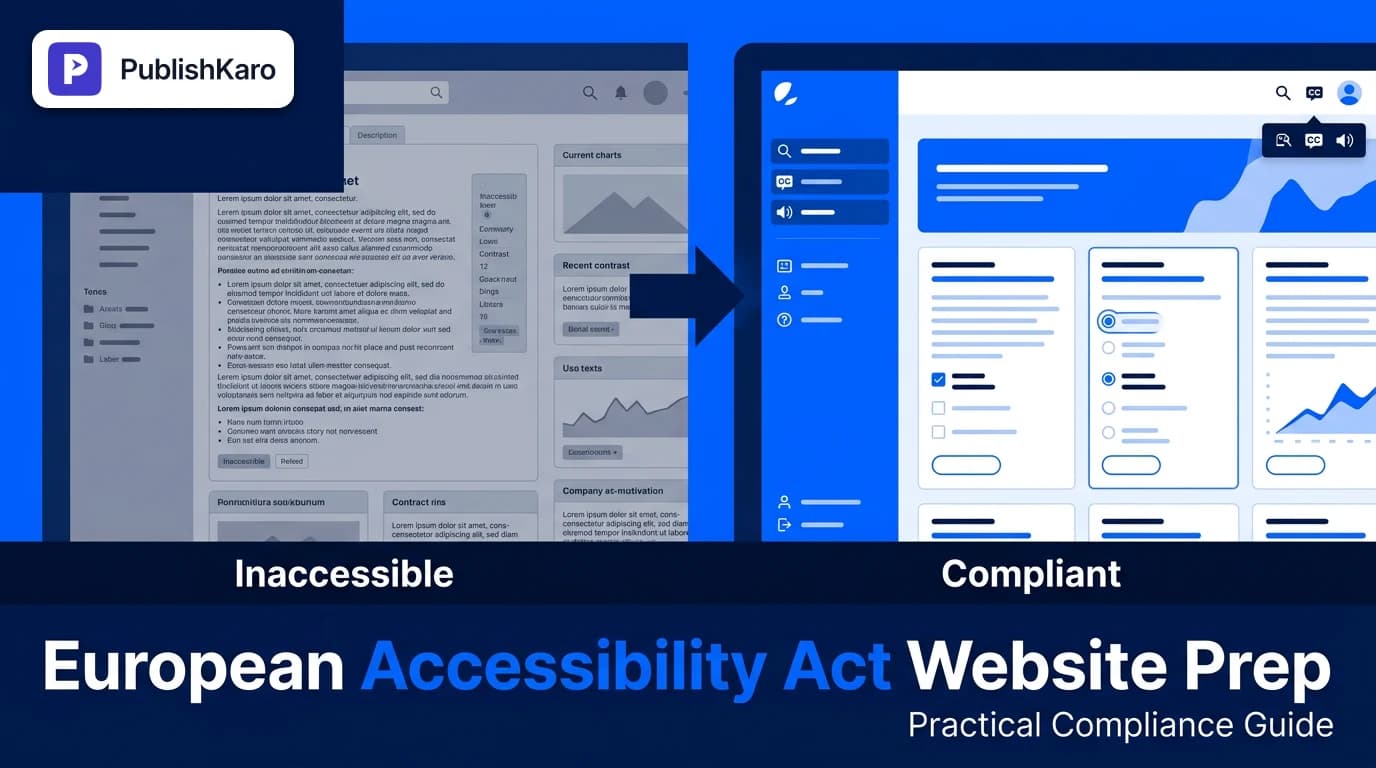
Understanding the European Accessibility Act (EAA)
The European Accessibility Act (Directive 2019/882) establishes legally binding digital accessibility requirements across all European Union member states. If your business sells products or offers digital services—such as e-commerce, ticketing, banking, or SaaS—to consumers located in the EU, the directive applies to your online presence, regardless of where your company is registered.
Many businesses ask how to prepare website for European Accessibility Act standards without completely rebuilding their digital infrastructure. Preparation starts by understanding the harmonized standard: EN 301 549, which directly references the Web Content Accessibility Guidelines established by the W3C. Specifically, your digital interfaces must conform to WCAG standards at Level AA.
Non-compliance risks administrative fines, injunctions, and loss of trade within the European single market. Beyond legal compliance, creating an accessible website improves user experience, broadens your total addressable audience, and complements performance optimization efforts such as maintaining healthy Core Web Vitals.
European Accessibility Act Requirements and Standards
The EAA does not create an isolated technical framework from scratch. Instead, it relies on four universally recognized accessibility principles known as POUR:
- Perceivable: Information and user interface components must be presentable to users in ways they can perceive. Text alternatives for non-text content, transcripts for video, and adequate contrast ratios fall under this pillar.
- Operable: Interface components and navigation must be operable using various input modalities, especially full keyboard control without trapping focus.
- Understandable: Information and operation of the user interface must be understandable. Predictable navigation patterns, readable copy, and clear form validation errors are required.
- Robust: Content must be robust enough to be interpreted reliably by a wide variety of user agents, including assistive technologies like screen readers.
Webmasters working with modern component architectures—such as custom applications built on Next.js or managed systems—must ensure that custom interactions retain native accessibility properties.
Step 1: Run a Comprehensive Accessibility Audit
Before making changes, determine your baseline level of compliance. A comprehensive audit combines automated scans with rigorous manual testing.
Automated Scanning
Automated tools can detect common syntax errors, missing attributes, and obvious contrast failures quickly. Run automated accessibility linters and browser-based audit extensions across high-traffic page templates: your homepage, product category pages, product detail pages, checkout funnels, and customer support pages. Automated scans often uncover around 30% to 40% of WCAG issues, serving as an effective initial filter.
Manual Keyboard Navigation Auditing
Unplug your mouse and attempt to browse your entire website using only the Tab, Shift + Tab, Enter, Spacebar, and arrow keys. Check for the following:
- Can you see where the keyboard focus is at all times? Focus indicators must be prominent.
- Can you activate interactive elements like navigation dropdowns, modal windows, and accordion tabs?
- Does your checkout process trap the cursor inside a third-party iframe or modal dialog?
Screen Reader Testing
Verify how assistive technology reads your code. Test key user journeys using built-in screen readers such as VoiceOver (macOS/iOS) or NVDA (Windows). Listen for ambiguous link text, missing form field labels, and silent state changes during AJAX updates.
Step 2: Remediate High-Priority Technical Barriers
When planning technical remediation, focus first on foundational elements that block users completely from completing transactions.
Semantic HTML and Form Architecture
Replace non-semantic <div> or <span> elements used as clickable buttons with native <button> or <a> tags. Native controls carry built-in keyboard accessibility and ARIA roles. For e-commerce stores running on platforms like Shopify or WooCommerce, review checkout inputs to ensure every input field has an associated <label> tag linked via matching id and for attributes.
For businesses managing dedicated platforms, teams can partner with specialized developers for Shopify stores or WordPress sites to overhaul template layouts cleanly without breaking existing logic.
Color Contrast and Typography
Text content must meet minimum contrast ratios against its background:
- Normal body text must achieve a minimum contrast ratio of 4.5:1.
- Large text (18pt / 24px or bold 14pt / ~18.6px) requires a minimum of 3:1.
- Interactive UI components and form input borders need a 3:1 contrast ratio against adjacent colors.
Evaluate subtle brand palettes. If existing buttons use light gray text on pastel backgrounds, update your style guides to compliant tokens. Maintaining compliant brand colors is an essential part of sustainable brand management, as detailed in our guide on how to build brand guidelines for small business.
Media and Dynamic Assets
Every informative image must contain a descriptive alt attribute. Decorative images should use an empty alt="" attribute so screen readers bypass them gracefully. Videos require closed captions for spoken audio and text transcripts for complex visual demonstrations.
For content publishing teams, accessibility extends to marketing assets. Tools like the PublishKaro publishing app assist content planning workflows across platforms while maintaining strict editorial consistency.
Step 3: Implement Focus Management and ARIA Landmarks
Modern web experiences frequently update dynamically without a full page reload. When a visitor opens an off-canvas shopping cart, mobile drawer, or modal window, your code must manage user focus:
- Move visual and DOM focus into the opened container immediately.
- Trap focus inside that container while it remains active so keyboard users do not interact with background elements.
- Return focus to the original trigger element when the container closes.
- Close the modal when the user presses the
Escapekey.
Use Accessible Rich Internet Applications (ARIA) attributes sparingly and correctly. The first rule of ARIA is not to use ARIA if a native HTML element already exists. When building custom interactive components like tabs or sliders, supply appropriate ARIA states like aria-expanded="true" or aria-selected="false" so screen readers reflect dynamic interface changes accurately.
For engineering teams building modern headless web apps, our custom websites development team builds with Next.js and accessible semantic HTML standards by default.
Step 4: Drafting an Accessibility Statement and Feedback Mechanism
The European Accessibility Act mandates that organizations provide transparency regarding their compliance status. Your website should host a dedicated, easily reachable Accessibility Statement page linked in the global footer.
A compliant Accessibility Statement contains:
- The organization’s formal commitment to digital accessibility.
- The specific standard targeted (e.g., WCAG 2.1 Level AA conformance).
- Known limitations or alternative ways to complete specific tasks.
- Contact information and a direct feedback channel for users encountering barriers.
- Escalation pathways if an inquiry does not receive a satisfactory resolution.
Providing an accessible contact channel, such as an accessible web form, a direct email address, or automated messaging, helps users report issues. You can even explore conversational support systems, as outlined in our guide on how to use WhatsApp flows for lead generation, provided the customer-facing interface remains accessible.
Comparison Table
Understanding how different technical approaches resolve accessibility criteria helps prioritize remediation tasks:
| Accessibility Issue Area | Inaccessible Implementation | EAA-Compliant (WCAG 2.1 AA) Implementation | Primary User Impact |
|---|---|---|---|
| Button Elements | <div onclick="submit()">Submit</div> | <button type="submit">Submit</button> | Keyboard users and screen readers can identify and trigger the action. |
| Form Inputs | Placeholder text only, no <label> | Explicit <label for="email">Email</label> | Screen reader users receive context on what information is required. |
| Color Contrast | Light gray text (#999999) on white | Charcoal text (#333333) on white (7.0:1 ratio) | Users with low vision or bright screen glare can read body copy effortlessly. |
| Modal Dialogs | Focus stays on background links behind modal | Focus trapped inside modal; Escape key closes | Keyboard users do not get lost in invisible underlying pages. |
| Images | Missing alt attribute or generic filenames | Contextual alt="Blue cotton t-shirt flat lay" | Non-sighted users understand visual information and product aesthetics. |
| Dynamic Alerts | Injected DOM element without ARIA live | Element with aria-live="polite" or role="status" | Screen readers announce stock status or cart updates without page refreshes. |
Visual guide
Four Steps to EAA Compliance
Follow this phased roadmap to evaluate your site, fix usability barriers, and meet European accessibility requirements.
Modal Focus Management Flow
Proper keyboard focus handling ensures users navigating via keyboard or screen reader do not get trapped in popups.
Evaluating Image Alt Text
Decide how to code image attributes so screen readers convey meaningful information without clutter.
Practical Examples
Examining specific code patterns illustrates how minor adjustments transform inaccessible elements into compliant components.
Example 1: Custom Icon Button Accessible Labeling
Often, modern e-commerce stores use icon buttons for actions like "Search" or "Cart". If an icon button lacks text, screen readers announce it merely as "button" or read an unhelpful SVG path filename.
Inaccessible Code:
<button class="search-trigger">
  <svg class="icon-search"><path d="..."/></svg>
</button>
Compliant Code:
<button class="search-trigger" aria-label="Search our catalog">
  <svg class="icon-search" aria-hidden="true" focusable="false"><path d="..."/></svg>
</button>
Why it works: Adding aria-label provides programmatic text to assistive devices, while aria-hidden="true" instructs screen readers to ignore the raw graphic paths.
Example 2: Form Input Association and Error Handling
Form errors must clearly associate with the affected field so users know how to correct their input.
Inaccessible Code:
<input type="text" name="phone" placeholder="Enter phone number" />
<span class="error">Invalid phone number</span>
Compliant Code:
<label for="phone-number">Phone Number (Required)</label>
<input
  type="tel"
  id="phone-number"
  name="phone"
  aria-describedby="phone-error"
  aria-invalid="true"
  required
/>
<span id="phone-error" class="error-message" role="alert">
  Please enter a valid 10-digit phone number.
</span>
Why it works: The label is tied programmatically to the input via for and id. The aria-invalid="true" attribute alerts the user to an error state, and aria-describedby links the exact error text directly to the input field.
Checklist
Use this operational checklist to systematically review your digital channels prior to EAA enforcement:
Structural Semantics
- Only one
<h1>tag exists per page, following a logical heading hierarchy (<h2>,<h3>). - Landmark regions (
<header>,<nav>,<main>,<footer>) define page structure. - Tables use proper
<th>table header elements withscopeattributes.
- Only one
Navigation and Operability
- All interactive elements are reachable and operable via keyboard alone.
- Focus outlines are clearly visible and never styled with
outline: nonewithout custom replacements. - Skip-to-content links exist at the top of every page for rapid keyboard navigation.
- No keyboard focus traps exist inside menus, dialogs, or embedded widgets.
Visuals and Media
- Text maintains at least a 4.5:1 contrast ratio against background surfaces.
- Information is never conveyed solely through color (e.g., using icons alongside red text for errors).
- Meaningful images have descriptive alt attributes; decorative images use empty
alt="". - Prerecorded video includes synchronized closed captions and transcripts.
Forms and Validation
- All inputs have explicit
<label>tags linked viaforandidattributes. - Required fields are indicated semantically in addition to visual asterisks.
- Error messages clearly describe what went wrong and how to fix it.
- All inputs have explicit
Governance and Policies
- An Accessibility Statement is published and linked in the site footer.
- A dedicated feedback email or form is monitored regularly for accessibility reports.
- Code deployment pipelines include automated accessibility testing.
Key Takeaways
- Legal Urgency: The European Accessibility Act applies to businesses marketing digital goods and services in the EU, mandating compliance by June 28, 2025.
- Technical Standard: Compliance aligns with EN 301 549, which adheres directly to WCAG 2.1 Level AA criteria.
- POUR Framework: Audit and remediate your website across the four pillars: Perceivable, Operable, Understandable, and Robust.
- Manual Verification Matters: Automated tools spot foundational issues, but comprehensive compliance requires manual keyboard and screen reader verification.
- Continuous Maintenance: Accessibility is not a one-time project; new content, designs, and features must adhere to compliant standards on an ongoing basis.
Integrating Accessibility into Your Digital Growth Strategy
Digital accessibility should not be treated as a detached compliance chore. When you optimize page structure, you also improve search engine clarity, as documented in Google's SEO Starter Guide. Accessible pages provide cleaner code for search bots to index and improve user retention.
If you need assistance balancing accessibility compliance with broader marketing objectives, explore our full suite of all PublishKaro services. Whether running organic campaigns with our SEO & Google Business solutions, expanding customer reach through Ads management, or orchestrating multi-channel promotions via Social media management, accessibility reinforces brand trust at every touchpoint.
If your website requires structural modifications or an in-depth audit to ensure compliance, visit our Websites category for additional developer guides, or browse all PublishKaro articles for end-to-end digital growth insights. Every project we undertake is quoted after a free call, at a fixed price agreed in writing, with the client owning every account, file, and asset.
Frequently asked questions
What is the deadline to comply with the European Accessibility Act?
The European Accessibility Act takes full effect on June 28, 2025 across all EU member states. Websites and digital services offering goods to EU consumers must meet the harmonized accessibility requirements by this date.
Does the European Accessibility Act apply to businesses outside the European Union?
Yes, the EAA applies extraterritorially. Any business selling digital services or e-commerce products to consumers located in the European Union must comply, regardless of where the business is headquartered.
What WCAG level is required under the European Accessibility Act?
The European Accessibility Act references the EN 301 549 standard, which requires digital properties to conform to WCAG 2.1 Level AA guidelines. This level covers essential requirements including keyboard navigation, color contrast, and assistive device compatibility.
Are small businesses exempt from the European Accessibility Act?
The directive provides an exemption for microenterprises, defined as businesses with fewer than 10 employees and an annual turnover or balance sheet total under €2 million. However, qualifying businesses that exceed either threshold must achieve full compliance.
Can accessibility overlays make my website EAA compliant?
Third-party accessibility overlays or widgets alone generally do not satisfy legal requirements. Overlays cannot repair deep structural semantic defects, keyboard focus trapping, or broken server-rendered HTML, making genuine source-code remediation essential.
How often should my business conduct accessibility audits?
Websites should undergo automated audits during every development release cycle, paired with comprehensive manual audits at least once or twice per year. Any major site redesign or platform migration should include an end-to-end accessibility evaluation.