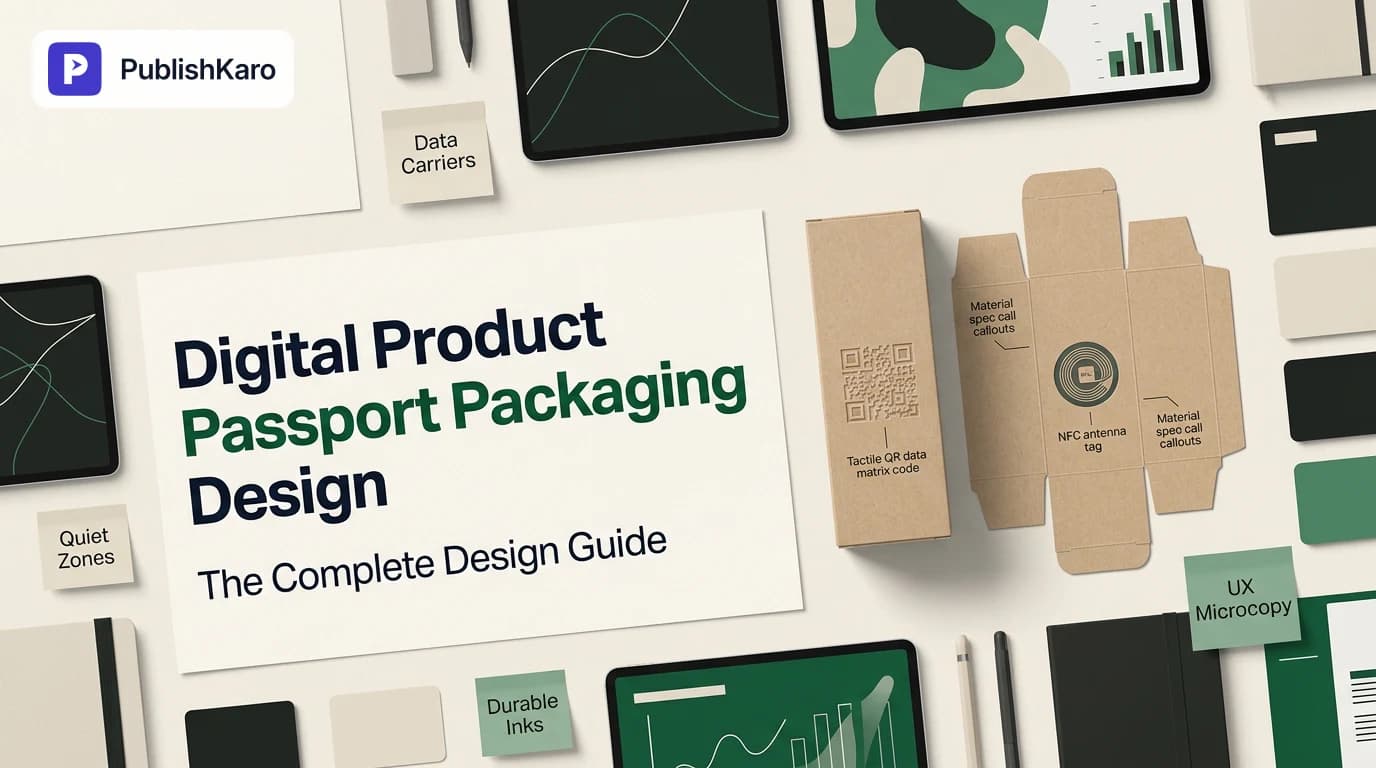
What Is Digital Product Passport Packaging?
Digital Product Passport (DPP) packaging integrates physical data carriers—most commonly two-dimensional QR codes or NFC tags—directly onto primary, secondary, or tertiary packaging. Unlike conventional promotional QR codes that lead to generic campaign landing pages, DPP packaging bridges physical items to standardized, audit-ready product data.
Under emerging international circular economy frameworks, particularly across the European Union, products such as textiles, industrial batteries, consumer electronics, and cosmetics require granular data access. A DPP delivers material breakdowns, supply chain provenance, carbon footprint calculations, repair manuals, disassembly guidance, and recycling instructions.
Designing packaging for this standard requires thinking beyond basic aesthetic choices. The packaging design must protect the scan mechanic through storage, transit, handling, and post-consumer disposal. It demands careful integration of physical typography, substrate selection, industrial printing tolerances, and structured web development. Following practical digital product passport packaging guidelines ensures that both human shoppers and automated scanning hardware can parse required product data instantly.
Selecting the Right Data Carrier: QR Codes, RFID, and NFC
Selecting how your digital passport is scanned is the first physical production hurdle. The right choice depends on your product's unit price, substrate material, scan environment, and supply chain needs.
GS1 Digital Link 2D Barcodes
The standard 2D barcode formatted via the GS1 Digital Link standard is the industry benchmark. A GS1 Digital Link encodes a web URI containing a product's Global Trade Item Number (GTIN), batch or lot number, and serial number. When scanned with a standard smartphone camera, it opens a human-readable web portal. When scanned at a retail point of sale, it acts like a traditional barcode.
Implementing gs1 digital link packaging design enables brands to satisfy regulatory requirements without crowding small retail boxes with multiple disconnected 1D barcodes and promotional graphics.
Near Field Communication (NFC)
NFC chips offer an embedded tap-to-read experience without requiring direct line of sight. They suit luxury packaging, leather goods, and premium cosmetics. While NFC tags raise the bill of materials for your packaging, they can be concealed behind paper stock or inside rigid boxes, offering better tamper resistance and protection from surface abrasions.
Radio-Frequency Identification (RFID)
Passive UHF RFID labels streamline bulk inventory scanning across warehouses and logistics hubs. However, because standard consumer smartphones cannot natively read standard UHF RFID tags without specialized hardware, RFID cannot serve as your standalone consumer-facing DPP carrier. Most enterprise packaging architectures combine an external 2D barcode for shoppers with an embedded RFID inlay for logistics.
Visual Hierarchy, Placement, and Scan Reliability
Industrial environments and consumer touchpoints present tough scanning conditions. Weak lighting, scuffed surfaces, and folded edges can render a digital product passport unreadable if layout rules are neglected.
Quiet Zones and Safe Margins
A 2D barcode requires an unprinted "quiet zone"—a blank border framing the matrix modules. For standard QR matrices, this quiet zone must measure at least four times the width of a single data module. Do not bleed lifestyle imagery, decorative patterns, or typography into this margin. If you compress or interrupt the quiet zone, smartphone lenses struggle to isolate the code markers, causing scanning failures.
Contrast Ratios and Color Inversion
Always maintain a high optical contrast between your data carrier and the substrate. Standard black ink on an opaque white background provides the highest scan reliability. If brand guidelines call for tinted backgrounds or colored inks, verify optical contrast against accessibility benchmarks such as the W3C Web Content Accessibility Guidelines (WCAG).
Avoid inverted codes—light modules printed on dark substrates—because many native smartphone camera decoders fail to identify inverted orientation targets under low-light conditions. Ensure contrast stays sharp across all packaging variations by collaborating directly with your identity team or a specialized partner via our design and branding services.
Curved Surfaces and Flexing Packaging
Placing a complex, high-density 2D code along the curved neck of a bottle, the gusset of a pouch, or the seal line of a flexible poly mailer distorts the matrix grid. Optical scanners read geometric modules across planar axes; once a curve exceeds roughly 30 degrees across the width of the code, camera perspective correction software drops scan speed considerably. Position DPP codes on flat, stable planes such as the base, back panel, or non-crimped side panels.
Substrates, Inks, and Physical Durability
Packaging must withstand humidity, UV exposure, rub friction during transport, and grease from consumer handling without degrading code legibility. If the code is destroyed, your digital passport compliance fails.
Substrate Selection
- Corrugated Cardboard: Porous kraft paper causes ink bleed. Use larger module sizes to prevent ink spread from closing the white spaces between dots.
- Coated Folding Board: Bleached sulphate board (SBS) holds sharp edges and high print resolutions, making it an ideal candidate for dense serial-level QR codes.
- Flexible Films & Recycled Plastics: Plastics require specialized corona treatment and drying systems to stop ink smudging. Keep codes away from heat-sealed seams.
- Direct Glass and Metal Printing: Screen printing or direct laser etching onto metal or glass can cause glare reflections. Use laser ablation to strip an opaque matte patch before applying high-density data dots.
Print Resolution and Serialization
DPP compliance frequently requires item-level serialization, meaning every individual carton carries a unique serial string rather than a shared static batch code. Inline thermal inkjet or continuous inkjet printers running on packaging lines often operate at 300 to 600 DPI.
Design your codes with module sizes wide enough to survive micro-drops in print quality on high-speed conveyor lines. Never design a serialized QR code smaller than 12 mm x 12 mm; 15 mm to 20 mm is safer for variable-data systems.
UX Microcopy and Consumer Engagement
A bare, unexplained QR code creates user hesitation. Shoppers often ignore data symbols that lack clear purpose, mistaking them for internal factory inventory markers. Effective packaging design includes compact microcopy explaining what scanning unlocks.
Pair your data carrier with actionable callouts, such as:
- "Scan to verify authenticity & material origin"
- "Scan for repair instructions, ingredients & recycling details"
- "Digital Product Passport: Tap or scan to view life cycle data"
If you manage multi-channel product promotions, make sure your DPP elements don't get lost among promotional collateral. Teams handling multi-platform updates often use tools like the PublishKaro publishing app to coordinate social product drops, keeping consumer education campaigns aligned with packaging updates.
Comparison Table
Evaluating data carrier options helps determine the best approach for unit economics, consumer scan ergonomics, and production line speeds.
| Data Carrier Type | Unit Cost Impact | Consumer Accessibility | Durability Potential | Primary DPP Use Case |
|---|---|---|---|---|
| GS1 Digital Link 2D Code | Extremely Low (Direct print) | Universal (Native smartphone camera) | High (Dependent on ink & substrate) | Mass consumer goods, food, beauty, textiles |
| Standard Static QR Code | Extremely Low (Direct print) | Universal (Native smartphone camera) | High (Dependent on ink & substrate) | Legacy compliance, static batch-level data |
| NFC (Near Field Communication) | Moderate to High (Embedded inlay) | High (Smartphone tap required) | Very High (Protected under substrate) | Luxury items, fine leather goods, electronics |
| UHF RFID Tags | Moderate (Tag application) | Very Low (Requires commercial reader) | Very High (Encapsulated in label) | B2B warehouse inventory & reverse logistics |
| Hybrid (2D Code + RFID Inlay) | Moderate (Dual process) | Universal (2D front + RFID core) | High (Both visual & wireless layers) | Omni-channel retail, high-shrink apparel |
Structuring the Digital Destination
The physical packaging code is only the front door. The landing experience behind the scan must be lightweight, instant, and technically stable. Sending users to a heavy, script-bloated page ruins the interaction and harms search visibility.
Structured Data and Machine Readability
Regulators, customs software, and search crawlers must read your DPP destination page cleanly. Structure product information using standard schema markups. Review the guidelines on Google Search Structured Data and test landing page markup to ensure fields like product composition, GTIN, manufacturer information, and compliance certificates are properly recognized by web crawlers.
Follow technical recommendations outlined in the Google SEO Starter Guide so that compliance-related landing pages remain crawlable, indexable, and well-organized.
Performance Optimization
DPP landing pages are typically scanned over cellular networks inside retail stores, transit stops, or sorting depots. Pages loaded down with multi-megabyte 3D renders, video players, and unoptimized trackers will stall. Aim for fast mobile page delivery by monitoring core metrics detailed in Google's Web Vitals Documentation.
If your digital passport platform runs alongside your storefront, ensure your technical infrastructure is built to scale. For custom implementations, our team constructs lightning-fast mobile architectures via our custom website development services. Store owners running commerce systems can reference our technical guide on how to migrate to modern checkout flows like Shopify checkout extensibility or explore our dedicated Shopify store development support.
Similarly, brands hosting their digital passports on open-source content stacks should monitor hosting response times. Review our practical guide on how to reduce Largest Contentful Paint in WordPress and explore our broader WordPress site services to keep data lookups snappy.
Visual guide
DPP Packaging Print Design Workflow
Follow these practical production steps to prepare scannable, regulation-compliant packaging for digital product passports.
Choosing the Right Data Carrier
Select the appropriate data carrier technology based on your budget, packaging material, and audience scan requirements.
Digital Passport Scan to Destination
A reliable passport combines physical print accuracy with fast, structured online product data.
Practical Examples
Example 1: Circular Fashion Label Packaging
A mid-sized sustainable apparel brand redesigns its swing tags and inner wash labels to comply with European circularity directives. Rather than printing a large booklet in eight languages, the team prints a single 15 mm GS1 Digital Link QR code on a 100% recycled unbleached kraft paper hangtag.
- Microcopy: "Scan with your phone to view farm provenance, wash guides, and trade-in options."
- Technical Setup: The code points to an open data schema detailing fiber origin, dye toxicology reports, and a return-to-recycle portal.
- Production: Applied via variable thermal transfer print during garment tagging, ensuring individual item-level serialization at negligible extra unit cost.
Example 2: Reusable Personal Care Glass Packaging
A zero-waste cosmetics brand uses screen-printed glass containers designed to be returned, sanitized, and refilled multiple times. Paper labels disintegrate in industrial washing baths, so traditional surface stickers fail.
- Solution: Direct laser etching of a dynamic GS1 DataMatrix code on the bottom exterior rim of the glass container.
- Durability: The etched code survives repetitive 85°C sterilization baths without loss of edge sharpness.
- User Experience: When scanned by customers, the landing page shows safe ingredient expiry timelines and points to physical refill stations mapped via local store profiles. Learn more about local discovery guidelines by checking how to manage local listings through the Google Business Profile Help Center or explore our search engine optimization services.
Checklist
Ensure your packaging design, production pipeline, and digital endpoints satisfy these practical criteria before starting industrial print runs:
- Data Carrier Resolution: 2D matrix module sizes match or exceed your packaging printer's resolution limits (minimum 12 mm x 12 mm physical footprint).
- Quiet Zone Protection: At least four modules of empty, unprinted space surround the code matrix on all four sides.
- Substrate & Ink Contrast: Dark ink on a light, matte background tested for optical contrast conforming to WCAG standards.
- Curvature Tolerance: Data carrier placed on a flat, non-flexing packaging plane away from folds, creases, or heat-seal glue lines.
- Actionable Microcopy: Clear, human-readable instructions placed beside the symbol explaining why the shopper should scan.
- Durable Coatings: Protective matte varnish or lamination applied over printed codes exposed to moisture, shipping friction, or skin oils.
- Standardized URI Architecture: Web addresses constructed using canonical GS1 Digital Link syntax including domain, GTIN, and variable serial numbers.
- Fast Mobile Destination: Digital passport landing page tested under simulated 3G/4G connections to ensure rapid mobile delivery.
- Structured Product Schema: Underlying passport page code includes verified JSON-LD structured data matching international circularity standards.
Connecting DPP Packaging to Growth Channels
A compliant digital product passport does more than satisfy legal checklists—it establishes a direct communication channel between your brand and the end consumer long after retail checkout.
When consumers scan a product passport to review care guidelines, recycling routes, or verification certificates, they show high brand intent. Without cluttering the primary compliance interface, you can offer optional opt-in paths: registering product warranties, joining closed loyalty communities, or signing up for replenishment reminders.
If your marketing team orchestrates email lifecycle flows to follow post-purchase scans, explore our guide on how to set up browse abandonment in Klaviyo. For teams running paid campaigns to announce revamped, sustainable product lines, our guide on how to set up brand exclusions in Performance Max and our broader advertising management services keep acquisition budgets targeted.
To dive deeper into design systems, accessible packaging, and creative execution, explore more insights on our design category blog and read through our main agency blog collection. Every packaging and digital development engagement with PublishKaro begins with a detailed discovery conversation; projects are quoted after a free call, at a fixed price agreed in writing, and the client owns every account, file, and asset.
Key Takeaways
- Digital Product Passports Require Unified Design: Successful packaging balances physical printing realities with dynamic web architecture.
- GS1 Digital Link Is the Practical Default: 2D barcodes with web-resolvable URIs offer universal smartphone accessibility at minimal unit cost.
- Scan Mechanics Depend on Substrates: Bleed rates on recycled boards and reflections on metals can break codes without proper quiet zones and matte contrast backdrops.
- Never Skip Microcopy: Tell consumers why they should scan by pairing every data carrier with concise, value-focused prompts.
- Digital Pages Must Be Fast and Structured: A clean physical code is useless if the landing page is bloated; prioritize clean JSON-LD structured data and fast mobile performance.
Frequently asked questions
What is the minimum recommended size for a digital product passport QR code on packaging?
A digital product passport 2D code should measure at least 12 mm by 12 mm for basic direct-printed packaging, with 15 mm to 20 mm strongly recommended for variable-data digital printing. Codes printed too small suffer from ink bleed and poor camera focus on older smartphone lenses.
Can I use a standard promotional QR code for a digital product passport?
Standard promotional QR codes usually direct users to generic, static marketing landing pages. Digital product passports require structured, machine-readable links—typically formatted via GS1 Digital Link standards—that resolve to unique batch, item, or serial-level compliance data.
Does digital product passport packaging require dynamic data printing?
Yes, true DPP compliance generally requires batch-level or item-level serialization, meaning each product run or individual pack needs a dynamic, uniquely generated data carrier. Static plates cannot convey variable manufacturing dates, batch-specific chemical analyses, or unique item ownership logs.
How do I protect printed digital passport codes from physical damage?
Protect surface codes using matte overprint varnishes, laminate coatings, or direct laser ablation on durable substrates. High-friction secondary packaging must be tested against standard drop and rub abrasion tests to ensure scan readability remains intact across the distribution cycle.
What happens if our packaging lacks space for multiple languages and circularity disclosures?
This is the core problem digital product passports solve. By shifting lengthy regulatory disclosures, multi-language manuals, and material teardown charts to a secure web portal accessed via a single scannable carrier, packaging surfaces remain uncluttered and legible.