The Real Cost of an Unstructured Review Process
For growing businesses and boutique marketing agencies, managing multiple social channels across Instagram, Facebook, LinkedIn, and YouTube without a defined protocol creates immediate friction. When posts circulate through fragmented email chains, messaging apps, and ad-hoc chat screenshots, crucial context gets lost.
Misunderstandings lead to off-brand messaging, incorrect promotional codes, missed campaign launches, and rushed revisions. A structured review process protects both brand equity and team productivity. Rather than debating visual elements minutes before a scheduled time slot, a proactive pipeline establishes clear ownership across every asset.
Whether your team handles social media management in-house or coordinates with an external creative partner, codifying your sign-off sequence ensures consistent quality across every published post.
Core Stages of a Social Media Sign-Off Process
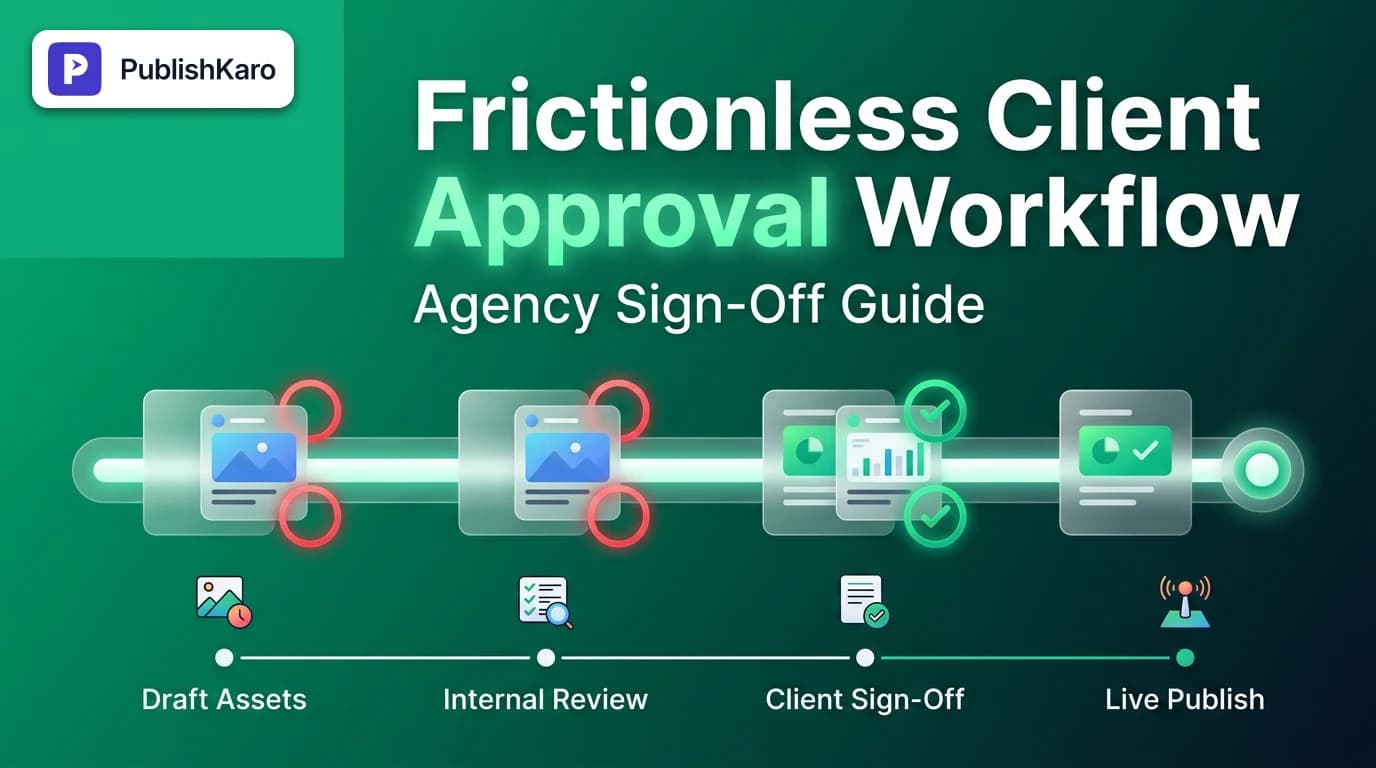
A resilient social media sign off process generally consists of four sequential stages. Collapsing these stages into a single informal glance invites mistakes; separating them gives creators and reviewers dedicated boundaries.
[1. Ideation & Strategy] -> [2. Production & Proofing] -> [3. Client Review & Edits] -> [4. Automated Scheduling]1. Ideation and Topic Alignment
Before writing full captions or generating complex motion assets, agree on the content pillars, themes, and publishing cadence. A monthly strategy sync or shared content backlog prevents creative teams from designing graphics that fail to reflect the client's current operational priorities.
2. Creative Drafting and Internal Proofing
Copywriters and designers construct the complete asset: post captions, hashtag sets, visual carousels, video reels, and pinned comments. Before anything reaches the client, an internal lead conducts a strict review. This pass evaluates:
- Typography and visual hierarchy.
- Brand voice guidelines and factual claims.
- Caption grammar and on-screen text legibility.
If you produce dynamic multi-slide assets, review our guide on how to reorder Instagram carousel posts to ensure logical sequencing before seeking client sign-off.
3. Client Inspection and Feedback Collection
The client evaluates the post as close to its native preview format as possible. During this window, stakeholders must provide specific, actionable notes rather than open-ended queries. Feedback should be logged directly alongside the specific copy or creative file rather than across external email threads.
4. Final Sign-Off and Queue Lock
Once the client marks an asset as approved, its status switches to locked. No further modifications should occur unless a genuine compliance or inventory issue arises. At this stage, the post moves into an automated publishing queue.
How to Overcome Common Agency Client Approval Bottlenecks
Most delays in social media operations do not stem from creative blockages; they happen because stakeholders become overwhelmed or lack clear deadlines. Resolving agency client approval bottlenecks requires structural boundaries rather than constant manual reminders.
Enforce a Single Point of Contact
Inviting five executives into an approval thread invites conflicting directives. One stakeholder may request a playful tone, while another requests formal corporate language. Insist on a single designated client champion who consolidates internal stakeholder feedback before submitting revisions to your creative team.
Establish Strict Turnaround Windows
Content calendars should operate on a predictable timetable. For example, if assets for the following week are delivered every Monday at 10:00 AM, client feedback must be submitted by Wednesday at 5:00 PM. Establishing these parameters prevents late-night emergency edits and keeps posting frequencies stable.
Define Default Fallback Policies
Decide what happens if an approval deadline passes without client input. In commercial environments, teams generally adopt one of two explicit policies:
- Hard Freeze: Unapproved posts pause immediately, shifting the schedule back until explicit written consent is received.
- Passive Consent: Non-critical organic awareness posts auto-schedule if no objections are raised within 48 business hours. (Note: Highly regulated sectors, such as finance or healthcare, should always utilize a hard freeze policy).
Limit Revision Iterations
Establish a two-revision limit for standard content batches. The first round addresses conceptual or factual edits; the second round confirms that those changes were executed accurately. Uncapped revisions indicate a breakdown in initial strategy rather than an execution error.
Building a Practical Social Media Content Approval Template
To build a working social media content approval template, you do not necessarily need expensive enterprise software suites. A well-architected spreadsheet or lightweight database often provides greater transparency for small business teams.
Your production sheet should track specific, non-negotiable metadata columns for every scheduled publication:
- Unique Post ID: A simple reference code (e.g.,
IG-2025-042) used in comment threads. - Target Platform: Selection tags for Instagram, Facebook, LinkedIn, or YouTube.
- Publishing Date & Time: Exact target slot, accounting for local time zones.
- Asset Link: Direct cloud URL to high-resolution video files, carousel slides, or static graphics.
- Draft Caption: The written post body, including line breaks, emojis, and calls to action.
- Internal Reviewer Status:
Draft,Needs Internal Edit, orReady for Client. - Client Approval Status:
Pending Review,Changes Requested, orApproved. - Revision Notes: A dedicated text field where the client logs precise corrections.
For teams seeking to bridge collaboration and distribution, tools like the PublishKaro publishing app enable marketers to plan posts inside Google Sheets, run automated AI spell-checks across captions and visual assets, and distribute approved items straight through official APIs with real-time status updates.
Comparison Table
Selecting the right approval architecture depends on your team size, technical capacity, and total monthly post volume. Here is how standard workflows compare across common operational setups:
| Workflow Method | Primary Benefits | Common Risks & Limitations | Best Suited For |
|---|---|---|---|
| Email Chains & Chat Groups | No setup required; familiar to all non-technical clients. | Feedback gets buried; version control fails; zero visibility into live queue states. | Solo founders with ad-hoc updates (not recommended for teams). |
| Shared Spreadsheets (Google Sheets) | Complete customization; free; accessible; transparent revision history. | Requires discipline to prevent accidental data overwrites; manual copy-pasting into native apps. | Growing agencies, boutique brands, and lean marketing departments. |
| Dedicated Approval Dashboards | Pixel-perfect mobile previews; built-in notification triggers; click-to-approve buttons. | Higher software costs; clients often resist logging into another third-party portal. | Mid-market and enterprise brands with multi-layered legal review tiers. |
| Spreadsheet + Direct API Integration | Combines familiar spreadsheet reviews with automated background publishing. | Requires initial setup of official developer permissions and structured inputs. | Fast-moving agencies and small businesses seeking zero-friction handoffs. |
Visual guide
Four Steps to Sign Off Posts
Follow this linear sequence from early ideas to the final scheduled queue to prevent last-minute posting errors.
Handling Missed Client Review Deadlines
Define a fallback rule so your team knows whether to pause campaigns or continue publishing when a client does not reply.
Resolving Conflicting Client Revision Notes
Route competing requests through a single designated point of contact to avoid disjointed social media edits.
Enterprise Considerations: Social Media Governance Workflow
As organizations expand their digital footprint, approvals encompass more than design preferences. Incorporating a comprehensive social media governance workflow protects your company from regulatory compliance hazards, brand safety violations, and technical delivery errors.
Rights, Licensing, and Platform Regulations
Ensure all audio tracks, stock photography, and fonts carry valid commercial usage licenses. When preparing promotional video assets with synthetic or modified elements, verify compliance with current advertising policies, such as Meta AI video ad disclosure rules.
API Compliance and Technical Requirements
Social networks enforce strict limits on media aspect ratios, caption lengths, and request volumes through their developer interfaces. Reviewing network standards documented in resources like Meta Business Help and the Instagram Platform Documentation ensures your assets meet format requirements prior to scheduling.
Coordinated Multi-Channel Campaigns
Social media campaigns rarely operate in total isolation. If a post announces a product drop or seasonal sale, the approval sequence must align with other promotional levers, such as email updates configured in Klaviyo flows, local business updates on your Google Business Profile, or paid campaigns managed through Meta and Google Ads.
Practical Examples
Reviewing tangible scenarios illustrates how structured governance protects brand safety and resolves friction during high-stakes campaigns.
Example 1: The Multi-Slide Ecommerce Product Launch
An online retail client preparing a product launch submits feedback on a seven-slide carousel.
- The Problem: The marketing director requests a price edit on Slide 3, while the operations lead wants to replace the product photography on Slide 5. Both notes arrive in separate chat messages without timestamp references.
- The Workflow Solution: The agency account manager routes the feedback into the shared content tracker. The notes are consolidated under Post ID
CAR-108. The designer updates Slide 3 and Slide 5 simultaneously, changes the status flag toClient Review - Round 2, and secures final sign-off from the primary client director within two hours.
Example 2: Handling Rapid-Response Corrections
A regional service brand experiences a sudden operational closure due to severe weather.
- The Problem: Standard organic posts highlighting in-person consultations are scheduled to publish automatically over the weekend, creating a poor customer experience.
- The Workflow Solution: Because the team maintains a unified calendar with clear status tags, the client marks upcoming weekend posts as
Paused - Weather Event. The agency drafts a single advisory announcement, runs an expedited internal copy check, and routes it to the client for immediate sign-off. The real-time visibility prevents tone-deaf automated posting.
Checklist
Use this operational checklist before opening your client review window for any content batch:
- Asset Sizing Verified: Static images and vertical videos match exact channel dimensions (e.g., 9:16 for Reels, 4:5 or 1:1 for feed carousels).
- Text and Caption Legibility: Safe zones observed so platform UI overlays (like usernames or sound icons) do not obstruct critical details.
- Accurate Tagging: All handles, partner tags, and collaborator accounts are verified for correct spelling.
- Destination URLs Tested: All bio links, campaign UTMs, and landing pages resolve correctly without redirect chains or broken parameters.
- Internal Gatekeeper Sign-Off: The internal agency lead or senior copywriter has stamped the draft as
Approved for Client. - Single Feedback Channel Set: The client understands that edits must be left directly in the review document, not across scattered messaging apps.
- Approval Deadline Stated: The submission notification explicitly states the review deadline date and time.
- Contingency Trigger Confirmed: Both parties know whether the schedule will freeze or proceed if feedback is delayed.
Key Takeaways
- Consolidate Communications: Fragmented messaging across emails, phone calls, and chats is the leading cause of social publishing errors.
- Establish Clear Review Limits: Two rounds of revisions are sufficient for standard content batches when initial creative strategies are properly aligned.
- Appoint a Single Sign-Off Lead: Multiple approving voices with equal authority create contradictory revisions; require the client team to name one decisive champion.
- Automate After Approval: Once client sign-off is logged, move posts directly into automated API publishing queues rather than relying on manual copy-pasting.
- Maintain Comprehensive Records: Retain timestamped logs of approved copy, graphics, and dates to preserve accountability across every campaign.
Frequently asked questions
What is the ideal turnaround time for client approvals on social media content?
A standard turnaround window is 48 to 72 business hours for standard monthly or bi-weekly content batches. This provides clients with sufficient time to review assets while giving creative teams adequate space to execute necessary revisions before scheduled publishing dates.
How many rounds of revisions should be included in a social media approval process?
Two rounds of revisions are standard for organic social media production. The first round allows the client to correct factual errors, suggest phrasing edits, or request image swaps, while the second round verifies that the requested adjustments were made accurately.
What happens if a client does not approve social media posts in time?
Teams should establish an explicit fallback policy during onboarding. Under a hard freeze policy, unapproved posts are paused immediately until written consent arrives; under a passive consent policy, routine awareness posts auto-publish unless objections are registered before the deadline.
Should clients review posts inside native social platforms or a shared calendar?
Reviewing posts in a centralized shared calendar or structured spreadsheet is far more efficient than using native platform drafts. Centralized systems provide immediate version control, allow side-by-side asset comparisons, and prevent clients from needing administrative access to publishing tools.
How do you handle client requests for last-minute changes on scheduled posts?
Implement an emergency protocol for urgent adjustments. Last-minute edits should be restricted to genuine business changes, such as unexpected inventory shortages or compliance alerts, and submitted through a designated high-priority channel to prevent miscommunications.