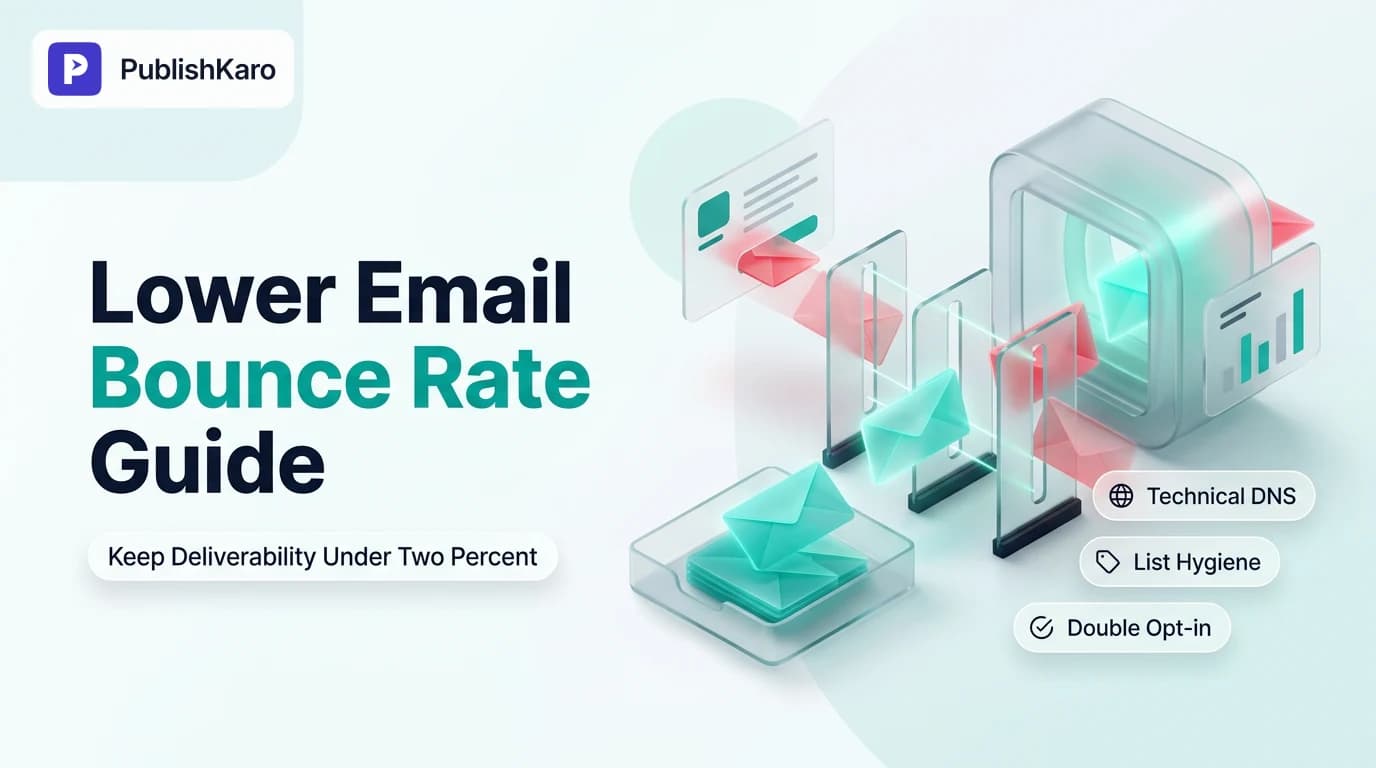
Understanding Hard vs Soft Bounces and Why 2 Percent Matters
In email marketing, bounce rate measures the percentage of total sent messages that cannot be delivered to the recipient's inbox. Mailbox providers such as Google, Yahoo, and Microsoft track delivery failure ratios as an immediate signal of sender reputation. Across major sending platforms, maintaining an aggregate bounce rate below 2 percent represents the standard threshold for healthy deliverability. Surpassing this benchmark triggers automated compliance blocks and harms domain reputation.
When a marketing team aims to reduce email bounce rate, understanding the difference between temporary and permanent delivery failures is critical. Deliverability problems almost always stem from two distinct failure mechanisms: hard bounces and soft bounces.
Hard Bounces
A hard bounce represents a permanent, unrecoverable failure. Common causes include:
- The recipient email address does not exist or contains a typo made during subscription.
- The receiving mail transfer agent (MTA) permanently rejects inbound mail from your domain due to severe blocklisting.
- The destination domain name has expired, lacks active Mail Exchange (MX) records, or is completely decommissioned.
Once an address returns a hard bounce, your sending infrastructure must immediately mark it as suppressed. Continuing to send to hard-bounced addresses signals to internet service providers (ISPs) that you are using scraped, unvetted contact databases or ignoring recipient feedback loops.
Soft Bounces
A soft bounce represents a temporary delivery issue. Common causes include:
- The recipient mailbox is full or exceeding storage limits.
- The receiving mail server is down, experiencing maintenance, or temporarily unreachable.
- The outbound message payload exceeds server attachment or total MIME message size limits.
- The destination provider temporarily throttles incoming volume from your sending IP or domain due to high traffic spikes.
Most modern email service providers, including the documentation available in the Klaviyo Help Center and the Brevo Help Center, automatically retry soft-bounced messages over a 24- to 72-hour window. If an address repeatedly soft bounces across consecutive campaigns, standard hygiene procedures dictate converting that address into a suppressed contact.
For growing businesses scaling their customer touchpoints, tracking operational benchmarks across all communication channels protects your brand presence. Whether you are balancing digital channels with organic search through SEO services or handling customer support via WhatsApp business automation, deliverability metrics form the baseline of customer retention.
Technical Authentication: SPF, DKIM, and DMARC Alignment
A frequent reason marketing campaigns fail to reach subscriber mailboxes is incomplete or misaligned technical sender authentication. Leading mailbox providers require robust verification to stop address impersonation and phishing.
1. Sender Policy Framework (SPF)
SPF is an email authentication protocol configured directly in your domain's DNS. An SPF record is published as a TXT record that enumerates the specific IP addresses and service domains authorized to transmit mail using your domain. When a mail server receives an email claiming to come from your domain, it queries your DNS to check if the sender IP is listed. If the sending IP is missing, destination servers treat the transmission with suspicion, often rejecting it outright.
2. DomainKeys Identified Mail (DKIM)
DKIM adds an asymmetric cryptographic signature to outbound message headers. Your DNS hosts the public key, while your sending platform holds the private key. When an email reaches the receiving server, the MTA uses your public key to verify the cryptographic signature. This validation confirms that the email genuinely originated from your domain and that no intermediary modified the payload during transit.
3. Domain-based Message Authentication, Reporting, and Conformance (DMARC)
DMARC integrates SPF and DKIM under a centralized security policy. It instructs receiving mail transfer agents on how to treat incoming messages that fail SPF or DKIM checks. A baseline DMARC policy begins at p=none for monitoring aggregate reporting data (rua), eventually tightening to p=quarantine or p=reject once your DNS alignment is verified.
Misaligned authentication creates SMTP bounce codes such as 550 5.7.1 (Command rejected) or 554 Message rejected due to local policy. Businesses running ecommerce storefronts, such as custom stores or Shopify stores, must establish branded sending domains rather than relying on shared sending pools. Adhering to technical best practices outlined in the Google Search Central documentation ensures your broader web infrastructure and domain integrity remain fully protected.
List Hygiene Protocols: How to Clean Existing Email Lists
If your metrics consistently breach the 2 percent boundary, adopting email list hygiene best practices is your primary operational task. Unmaintained databases degrade over time as employees switch roles, abandon accounts, or cancel services.
Step 1: Segment and Suppress Inactive Contacts
Filter your database to identify subscribers who have not engaged with an email in 90 to 180 days. Inactive mailboxes are frequently converted into spam traps by mailbox providers. Sending marketing messages to these addresses harms your reputation and results in delivery rejections.
Step 2: Run a Third-Party Verification Scan
Before launching a new campaign, process unengaged contacts through an email validation service. These platforms execute SMTP handshakes and verify MX records without sending visible emails. They classify addresses into clear categories:
- Deliverable: Safe to send; mail server confirms the mailbox exists.
- Undeliverable: Invalid syntax, absent domain, or deleted mailbox; suppress immediately.
- Accept-All (Catch-All): The recipient domain is configured to accept all incoming mail initially, but may reject it internally later; send only to engaged users.
- Disposable: Temporary, single-use addresses created for short-term downloads; suppress immediately.
Step 3: Implement an Automated Sunset Policy
A sunset policy is an automated workflow configured inside your platform that systematically tags and suppresses subscribers when they hit predefined periods of inactivity. A proven standard suppresses users who have received 15 to 20 campaigns over a 90-day window without recording a single open or click.
For businesses coordinating campaigns across multiple channels, managing consistent delivery schedules is critical. Content teams managing social distribution alongside their email strategy often utilize the PublishKaro app to automate post delivery directly from spreadsheets, saving valuable time to focus on retention pipelines.
Acquisition Auditing: Preventing Invalid Addresses at Capture
Stopping faulty addresses at the point of entry is much simpler than cleaning dead data from your database later. Unchecked sign-up forms let bad data, typos, and malicious bots pollute your sender lists.
Implement Double Opt-In (Confirmed Opt-In)
Double opt-in requires new subscribers to click a verification link sent to their inbox before they are added to promotional campaigns. This verification step prevents:
- Automated bot sign-ups that produce instant bounces.
- Human typographical errors (such as user@gmai.com instead of @gmail.com).
- Competitors or malicious actors injecting spam traps into your forms.
While single opt-in captures higher initial subscriber counts, double opt-in produces significantly lower bounce rates and higher long-term engagement.
Real-Time API Validation on Capture Forms
If your sales funnel requires single opt-in for conversion speed—such as lead funnels on custom websites or WordPress sites—embed real-time verification scripts into your forms. These scripts evaluate syntax, verify MX records, and suggest spelling corrections before the user submits the form.
Deploy Invisible Honeypots and reCAPTCHA
Spam bots regularly crawl the web to submit forms with random or scraped data. Adding a honeypot field—hidden from regular human users via CSS but completed by automated scripts—lets your server discard junk submissions automatically. Keeping user interaction smooth while protecting forms safeguards your infrastructure without frustrating real visitors.
Sending Infrastructure and IP Warming Best Practices
Even when subscriber addresses are completely valid, sending large volumes of email from a new or uncalibrated server can trigger throttle-based soft bounces from providers like Gmail or Microsoft 365.
Warming a New Sending Domain or Dedicated IP
When you migrate to a new platform, change your sending domain, or deploy a dedicated IP address, you must execute a systematic warm-up plan. Mailbox providers distrust unfamiliar IPs that suddenly broadcast high message volumes. Follow this step-by-step approach:
- Week 1: Send solely to your most engaged audience (subscribers who opened or clicked an email in the past 14 days). Cap daily volume strictly.
- Week 2: Expand campaigns to contacts engaged within the past 30 days, monitoring bounce codes daily.
- Week 3: Gradually incorporate subscribers active within the past 60 days, checking that your aggregate bounce rate stays well below 2 percent.
- Week 4: Carefully introduce 90-day active subscribers while maintaining steady sending schedules.
If unexpected soft bounces occur because of ISP rate limits, pause your volume expansion and keep send volumes steady until delivery logs stabilize.
When organizations need structured help with technical deliverability, our email marketing services assist in setting up authentication, designing sunset automations, and configuring sender domains. PublishKaro quotes all engagements after a free consultation call, operating at a fixed price agreed upon in writing.
Comparison Table
| Bounce Classification | Common SMTP Error Code | Underlying Technical Cause | Immediate Remediation Step |
|---|---|---|---|
| Hard Bounce (No User) | 550 5.1.1 | Recipient mailbox unknown or deleted | Automatically suppress address; remove permanently from all active segments. |
| Hard Bounce (No Domain) | 550 5.1.2 | Recipient domain does not exist or lacks MX records | Suppress immediately; audit capture forms for regular expression syntax validation. |
| Soft Bounce (Mailbox) | 452 4.2.2 | Recipient mailbox is over quota or full | Allow ESP retry window; suppress profile after 3 to 5 consecutive campaign failures. |
| Soft Bounce (System) | 421 4.4.2 | Destination server connection timed out | No contact suppression; sending server will automatically retry during its standard retry window. |
| Policy Block | 550 5.7.1 | SPF, DKIM, or DMARC authentication check failed | Inspect DNS TXT records; ensure branded sending domain alignment matches sender header. |
| Reputation Throttle | 421 4.7.0 | Receiving ISP throttling IP due to sudden volume increase | Lower sending throughput; restrict sends strictly to contacts engaged within the last 14 days. |
Visual guide
How to Handle Email Delivery Bounces
Follow this decision tree when an email fails to deliver so you protect your sender reputation without deleting recoverable contacts.
Step by Step List Hygiene Workflow
Clean your existing subscriber database before your next campaign to keep your bounce rate under the two percent threshold.
Warming Up a New Sender Domain
Gradually scale your sending audience over four weeks so mailbox providers do not throttle or reject your messages.
Practical Examples
Example 1: Resolving a Sudden Bounce Spike Caused by Form Spam
A retail brand noticed its weekly campaign bounce rate jump from 0.8 percent to 4.3 percent. An audit of recent sign-ups revealed automated bot traffic submitting hundreds of randomized email addresses through an unprotected footer form.
Action Taken:
- Installed an invisible CSS honeypot field and enabled double opt-in verification on all site capture forms.
- Isolated every subscriber profile created during the preceding 14-day window and processed them through a verification API.
- Identified and suppressed 620 non-existent and malformed mailboxes from the active database.
- The subsequent campaign achieved an aggregate bounce rate of 0.5 percent, successfully protecting the brand's sending domain.
Example 2: Implementing a Sunset Workflow in Klaviyo
An online retailer discovered that 30 percent of its 35,000 subscribers had not opened or clicked an email in over six months. Continuing to send regular marketing blasts to these disengaged profiles was driving bounce rates up to 2.6 percent.
Action Taken:
- Built a dormant segment:
Opened email 0 times in past 180 days AND Received at least 8 emails over the same period. - Deployed a final two-part re-engagement sequence offering a simple opt-down link to adjust email frequency.
- Automatically marked profiles that did not respond as suppressed within the platform.
- Removing 7,400 inactive records brought overall campaign bounce rates down to 0.4 percent while lifting aggregate open rates.
Marketing teams looking to expand their customer outreach strategies can review our complete selection of PublishKaro services and discover insights on our email marketing blog as well as the main PublishKaro blog.
Checklist
Use this step-by-step checklist to systematically audit your sending practices and maintain deliverability:
- Verify Core DNS Records: Confirm that SPF, DKIM, and DMARC records are configured and aligned with your sending provider.
- Enforce Double Opt-In: Configure lead capture funnels to require email confirmation before subscribers receive marketing campaigns.
- Audit Legacy Databases: Run dormant or unsegmented contacts through an email verification tool before scheduling sends.
- Configure Instant Suppression: Check that your email platform immediately suppresses hard bounces upon initial delivery failure.
- Set Soft Bounce Thresholds: Establish an automated rule to suppress addresses that fail across 3 to 5 consecutive campaigns.
- Activate a Sunset Policy: Automatically suppress contacts showing zero engagement over a rolling 90- to 120-day timeframe.
- Secure Web Forms: Add hidden honeypots, rate limits, and verification scripts to every public registration field.
- Follow IP Warm-Up Schedules: Gradually ramp up send volumes when introducing new domains or dedicated IP addresses.
- Monitor Delivery Reports: Regularly review provider postmaster tools to track bounce codes and domain reputation trends.
Key Takeaways
- Keeping aggregate email bounce rates below 2 percent is essential for avoiding domain reputation penalties and spam folder routing.
- Hard bounces represent permanent errors and must be suppressed immediately to protect sender reputation.
- Technical DNS authentication—specifically SPF, DKIM, and DMARC—prevents deliverability failures triggered by mailbox provider security policies.
- Routine list cleaning using third-party verification tools and sunset policies keeps dormant accounts from becoming delivery hazards.
- Protecting lead acquisition forms with double opt-in and honeypots prevents spam bots and invalid data from ever reaching your database.
- Consistent monitoring of bounce codes ensures technical issues are corrected before they affect core business communications.
Frequently asked questions
What is considered an acceptable email bounce rate?
An aggregate bounce rate under 2 percent is the standard industry benchmark for healthy deliverability. Anything above 2 percent indicates list hygiene issues or missing technical authentication, while rates exceeding 5 percent can lead to immediate account suspension by major email service providers.
How does a hard bounce differ from a soft bounce?
A hard bounce is a permanent delivery failure caused by an invalid, non-existent, or blocked email address that should be permanently suppressed immediately. A soft bounce is a temporary delivery issue caused by full mailboxes, message size limits, or temporary server downtime, which ESPs typically retry for a few days before failing.
Why are my authenticated emails bouncing with a 550 error code?
A 550 error code generally signifies that the recipient server rejected the email permanently. This frequently occurs when the destination mailbox does not exist, or when your domain fails SPF, DKIM, or DMARC authentication policies enforced by the receiving provider.
Can cleaning my list hurt my overall marketing revenue?
No, removing invalid and completely disengaged contacts improves your overall inbox placement. Sending to unengaged subscribers degrades your sender score, causing mailbox providers to route your emails to the spam folder for active, paying customers as well.
How often should a business verify its email list?
Lists should be continuously sanitized through automated sunset policies and real-time capture validation. If you have an unsegmented list or a database that has not received communication for over three months, run it through a bulk verification tool prior to sending your next campaign.
What should I do immediately if my bounce rate exceeds 5 percent?
If your bounce rate spikes above 5 percent, pause all scheduled campaigns immediately. Inspect your recent subscriber sources to determine whether spam bots hit your web forms, verify your DNS authentication records, and run your unengaged segments through a verification scanner before resuming sends.
Does using double opt-in lower conversion rates?
While double opt-in introduces a confirmation step that slightly reduces total subscriber count, it dramatically improves data quality. Subscribers who confirm their addresses are genuine, engaged users, virtually eliminating initial hard bounces and protecting long-term inbox placement.