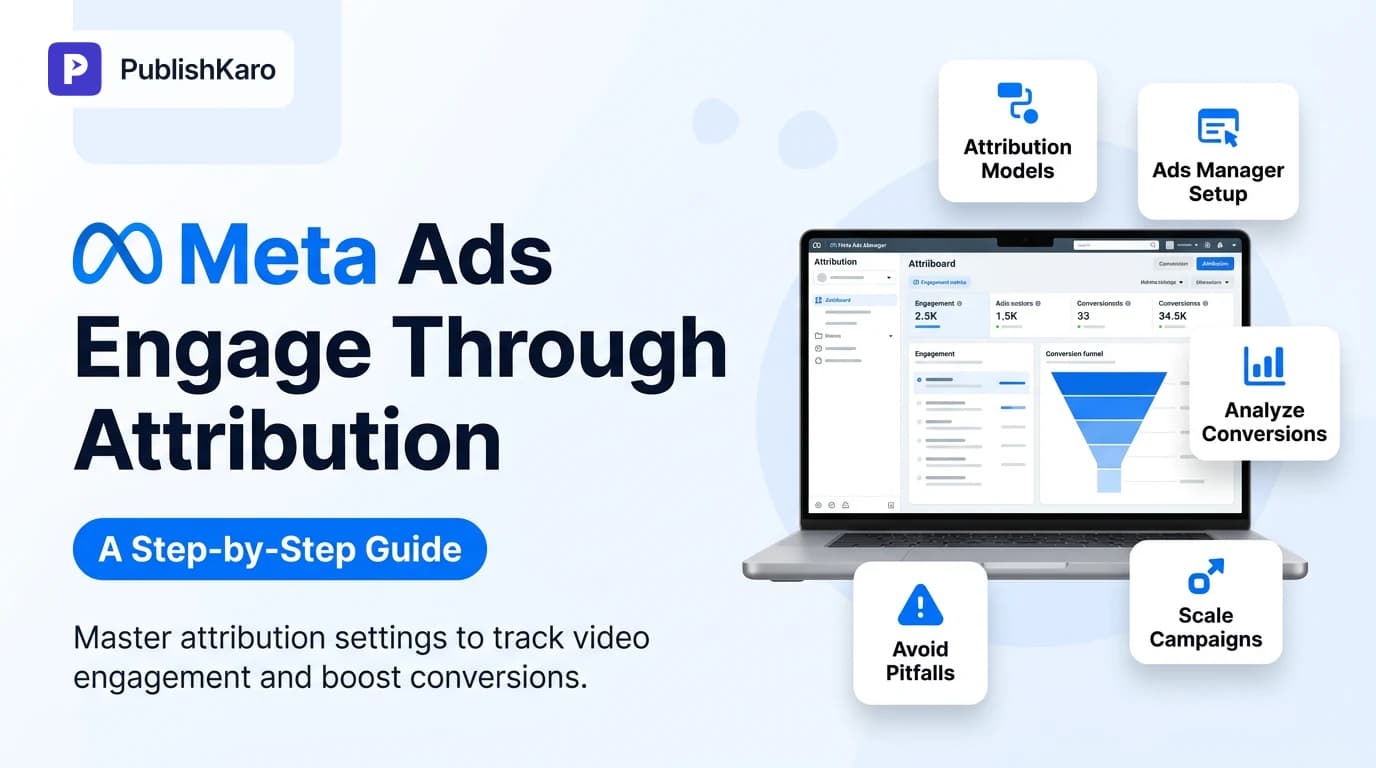
What Are Meta Ads Engage-Through Attribution Settings?
Attribution defines how advertising platforms connect an action taken on your website or app to an ad shown in a user's feed, stories, or reels. Historically, digital advertisers relied almost exclusively on click-through and view-through attribution windows. In that traditional setup, Meta counted conversions if someone clicked an outbound link or passively scrolled past an ad within a designated period, such as 1-day view or 7-day click.
However, user interactions have grown more complex over time. Many social media users interact deeply with content without immediately tapping through to an external website. They might scrub through product demonstration videos, swipe through lifestyle carousels, or save creative assets, and then convert later from a desktop browser or direct search query. Recognizing this behavioral shift, Meta introduced engage-through attribution settings—often reflected in the interface as engaged-view attribution—to capture actions where users intentionally engage with an interactive ad format and subsequently convert within a designated window, typically 1-day.
For businesses running performance marketing campaigns, understanding these mechanics prevents both the under-reporting of paid campaign influence and the over-reporting of passive impressions. If you manage performance marketing internally or partner with a specialist agency providing ads management services, configuring your attribution windows properly ensures your reporting reflects actual consumer buying journeys rather than superficial clicks.
Why Engage-Through Attribution Matters for Growing Brands
Direct-response marketing often suffers from linear thinking: an ad displays, a user clicks, and a purchase occurs immediately. Real-world consumer behavior rarely follows this straight path. A user might watch a 30-second product reel on Instagram while commuting, unmute the video to hear the dialogue, and complete the purchase hours later on a laptop computer via an organic search or a direct URL entry.
Under strict 1-day click attribution, that sale shows up as organic traffic or direct traffic in your analytics platform, hiding the true contribution of your creative budget. Conversely, under a broad view-through window, casual scrollers who never paid attention might be credited for a purchase they were already planning to make.
Engage-through attribution strikes a balance. It requires an intentional, measurable interaction with your ad creative before credit can be assigned. This window is particularly valuable for businesses investing heavily in video and motion assets and interactive rich media, where user attention is captured inside the platform long before an external visit occurs.
The Shift from Passive Views to Active Engagement
Passive impression tracking has faced scrutiny due to privacy updates and browser tracking restrictions. When platforms measure view-through conversions, they credit sales based merely on pixels appearing on a screen for a brief visual moment. According to official platform documentation available at the Facebook Business Help Center, attribution windows specify the finite period during which an action can be attributed to an ad view or click.
Engage-through settings elevate this standard. By requiring user intent—such as watching at least a specific duration of a video or interacting with an instant experience—Meta ensures the delivery engine prioritizes audiences who actively consume your content rather than fast-scrollers. Mastering this setup is essential for your broader meta attribution window setup, helping you evaluate performance across every campaign tier.
How Engage-Through Differs from Traditional Attribution Models
To configure your campaigns effectively, you must understand the distinction between the three primary interaction types available in Meta Ads Manager:
- Click-Through Attribution: The conversion occurs after a user clicks on an ad link that leads directly to an external destination, such as your Shopify store or custom landing page. Default windows are usually 1-day or 7-day.
- View-Through Attribution: The conversion occurs after a user merely sees an ad impression without clicking or interacting with it. The standard window is 1-day.
- Engage-Through Attribution: The conversion occurs after a user performs a qualifying engagement action on the ad itself (like watching a video for at least three seconds or interacting with an instant experience) without tapping the primary outbound URL, followed by a conversion within the specified window (commonly 1-day).
When evaluating overall marketing mix performance alongside other paid channels documented in the Google Ads Help Center, isolating engage-through data allows you to see how social content primes prospects across different touchpoints.
Comparison Table
| Attribution Model | Qualifying User Action | Typical Attribution Window | Primary Benefit | Potential Drawback |
|---|---|---|---|---|
| Click-Through | Tapping an outbound link or call-to-action button | 1-Day or 7-Day | Clear intent; directly measurable direct-response traffic | Ignores deep in-app consumption that leads to delayed conversions |
| View-Through | Ad appears on screen for a minimum impression threshold | 1-Day | Captures brand awareness and passive influence on direct sales | Risk of over-crediting ads for conversions that would happen organically |
| Engage-Through | Meaningful interaction (e.g., 3-second video view, carousel swipe) without an external click | 1-Day | Balances genuine intent with platform-native consumption behavior | May cause attribution overlap if cross-channel reporting is not de-duplicated |
How to Configure Engage-Through Attribution in Meta Ads Manager
Setting up attribution settings properly ensures your reporting aligns with your financial targets. Follow these step-by-step instructions inside Meta Ads Manager:
Step 1: Navigate to Campaign and Ad Set Levels
Log in to Meta Ads Manager. Select the active campaign you wish to evaluate or click Create to launch a new campaign. Select an objective that supports conversion reporting, such as Sales or Leads.
Step 2: Access the Attribution Setting Section
Scroll down to the Ad Set level settings. Under the Optimization & Delivery pane, locate the Attribution Setting field. By default, Meta often sets campaigns to 7-day click and 1-day view.
Step 3: Select Your Conversion Window
Click Edit next to Attribution Setting. In the dropdown interface, inspect the available attribution windows. Depending on your objective, account maturity, and ad format (such as video or native lead generation), you will see options to toggle or include engaged views alongside traditional click models. This granular adjustment forms the core of an effective meta attribution window setup.
Step 4: Align with Creative Formats
Ensure your selected ad creatives match your attribution logic. If your ad set optimizes for engaged views or engage-through conversions, support it with compelling creative developed by skilled design and branding professionals. If the ad fails to secure early attention, the engage-through mechanism cannot activate.
Step 5: Save and Monitor Conversion Metrics
Publish your changes. Allow the ad set to exit the learning phase. Once data accumulates, customize your Ads Manager reporting columns to view conversions segmented by attribution type.
Best Practices for Analyzing Engage-Through Conversions
Configuring the setting is only half the battle; interpreting the resulting data accurately is where real optimization happens.
1. Customize Your Reporting Columns
Do not rely on blended conversion numbers. In Ads Manager, click on the Columns dropdown, select Customize Columns, and search for your primary conversion events (such as Purchases or Leads). Check the box labeled Compare Attribution Settings at the bottom right. This allows you to view 1-day click, 7-day click, 1-day view, and engage-through numbers side by side.
2. Segment by Ad Creative Type
Examine whether your video formats or static images drive higher proportions of engaged conversions. Often, short-form video formats yield higher engage-through numbers because users consume the narrative within the platform before navigating to your site on another device or tab.
3. Cross-Reference with Web Analytics
Compare your Meta dashboard data with your core analytics stack. If your website is built on high-performance frameworks like custom Next.js websites or WordPress sites, review direct and organic search spikes during heavy social ad delivery. When engage-through attribution spikes on Meta alongside direct traffic increases on your site, you have clear evidence of assisted conversion behavior.
4. Evaluate Audience Coldness vs. Retargeting
Engage-through attribution plays distinct roles across the funnel:
- Top of Funnel (Cold Prospecting): Engage-through data reveals which creative angles generate genuine curiosity among users who are not yet ready to click an external link.
- Bottom of Funnel (Retargeting): Heavy reliance on engage-through in retargeting audiences may indicate that users already know your brand and are converting independently, signaling an opportunity to pull back retargeting spend.
Common Pitfalls to Avoid with Attribution Settings
Attribution misconfigurations can lead to misallocated budgets and incorrect strategic decisions. Watch out for these common errors:
Conflating Engagement with Qualified Traffic
An engagement metric—such as a video play or a comment—does not automatically equal high purchasing intent. If your ad creative relies on clickbait tactics or sensational visuals, you might generate high engagement without corresponding sales. Always evaluate engage-through attribution alongside bottom-line business metrics like customer acquisition cost (CAC) and return on ad spend (ROAS).
Over-Crediting Conversions Across Multiple Platforms
If you run simultaneous campaigns across Meta, Google Search, and email marketing flows, each platform will naturally claim credit for the same conversion under default settings. A customer might see a Meta ad (triggering engage-through), click a Google Search ad (triggering click-through), and finally redeem an email coupon. De-duplicate your data through unified analytics to avoid double-counting revenue.
Ignoring Landing Page Technical Health
If your engage-through numbers are high but actual conversion completion lags, examine your landing page performance. Slow load times, broken scripts, or unresponsive mobile layouts cause users who intended to buy to abandon the process. Audit your site against the technical performance standards outlined in Google Web Vitals to ensure smooth transitions from ad engagement to completed purchase.
Visual guide
Customer Journey to Engage-Through Conversion
How a customer converts via engage-through attribution without clicking the original ad immediately.
Configuring Attribution in Ads Manager
A step-by-step setup to apply engage-through windows inside your Meta ad sets.
Evaluating High Engage-Through Retargeting Numbers
Decide whether high engage-through numbers represent real ad lift or passive buyers.
Practical Examples
Example 1: D2C Apparel Brand Launching a Video Lookbook
A direct-to-consumer sustainable apparel brand running campaigns on Instagram creates a 20-second video lookbook showcasing its autumn collection. Many users watch 15 seconds of the video, admire the styling, but do not tap the shop button immediately because they are browsing social media in transit. Later that evening, several users visit the site directly and complete checkout.
By enabling engage-through attribution, the marketing team credits these sales back to the lookbook ad set. Instead of killing the ad due to low direct click-through rates, the team scales the creative, recognizing that high video retention directly correlates with delayed checkout volume.
Example 2: B2B Software Provider Using Instant Experiences
A B2B SaaS platform utilizes Meta’s native Instant Experience format to showcase interactive product workflow previews. Prospects swipe through product modules and feature breakdowns inside Meta’s native interface without visiting the external pricing page during their work breaks.
Two days later, prospects return via search to book a software demonstration. With engage-through tracking enabled, the marketing team identifies that product preview engagement played a pivotal role in accelerating pipeline velocity, justifying further investment in platform-native interactive media.
Balancing Organic Publishing and Paid Optimization
Attribution settings optimize paid campaigns, but paid media does not operate in a vacuum. A user who sees an engaging ad will frequently click your company profile to inspect your organic content, check your posting consistency, and review customer commentary before buying.
If your brand profile looks inactive or neglected, conversion rates suffer regardless of your paid attribution setup. Managing an active organic presence across platforms alongside paid ads builds trust. For teams looking to streamline content production across channels, The PublishKaro publishing app enables teams to plan social posts inside Google Sheets, leverage saved prompts for caption generation, run automated checks on visuals, and schedule directly to social networks via official APIs.
Pairing verified organic consistency through sound social media management with rigorous paid attribution tracking creates a balanced, sustainable acquisition engine.
Checklist
Use this practical implementation checklist before launching or restructuring your conversion campaigns in Meta Ads Manager:
- Pixel & Conversions API Verified: Confirm your Meta Pixel and Conversions API (CAPI) send accurate, de-duplicated events from your server.
- Objective Alignment: Ensure the campaign objective is set to Sales, Leads, or another actionable conversion metric that supports custom attribution windows.
- Ad Set Attribution Reviewed: Check the Attribution Setting under Ad Set Optimization & Delivery to confirm whether click, view, and engaged views are toggled according to your strategy.
- High-Retention Creative Active: Verify that your creatives feature strong hooks within the first three seconds to capitalize on engaged-view tracking criteria.
- Reporting Columns Customized: Build a saved preset in Ads Manager displaying 1-day click, 7-day click, 1-day view, and engage-through conversions side by side.
- Cross-Channel Sanity Check: Verify that external reporting tools (like web analytics or multi-touch attribution software) corroborate Meta's reported conversion lift.
- Landing Page Speed Tested: Ensure mobile destination URLs load rapidly and provide a frictionless checkout or form submission experience.
Key Takeaways
- Engage-Through Bridges Intent and Format: Engage-through attribution measures intentional in-platform interactions (such as video views or interactive element swipes) that lead to delayed conversions, moving beyond simplistic click-only models.
- Prevents View-Through Over-Reporting: By requiring active user engagement, engage-through filters out passive, low-intent impressions often over-credited under broad view-through windows.
- Crucial for Modern Rich Media: Video ads, reels, and interactive formats benefit most from engage-through settings, as their value lies in narrative attention rather than instant click impulse.
- Requires Granular Reporting: Always use Meta’s "Compare Attribution Settings" feature in Ads Manager reporting to evaluate click, view, and engage-through conversions independently.
- Holistic Acquisition Strategy: Paid attribution works best when paired with fast technical landing pages, clear organic brand proof, and integrated cross-channel measurement.
Frequently asked questions
What are Meta ads engage-through attribution settings?
Meta ads engage-through attribution settings allow advertisers to credit conversions to users who actively engaged with an ad creative—such as watching a video or swiping an interactive card—without clicking an outbound link, and then converted within a designated timeframe. This provides a clearer view of assisted conversions driven by engaging media.
How does engage-through attribution differ from view-through attribution?
View-through attribution credits a conversion if an ad merely appears on a user's screen, regardless of whether they noticed or interacted with it. In contrast, engage-through attribution requires an active, measurable interaction with the ad format, such as watching a minimum duration of a video, before any conversion credit can be claimed.
What is the default attribution window in Meta Ads Manager?
The default attribution setting for most conversion-focused campaigns in Meta Ads Manager is 7-day click and 1-day view. Advertisers can customize these windows at the ad set level to isolate click-through, view-through, or engaged-view data based on their specific reporting requirements.
Can engage-through attribution cause conversion double-counting?
Yes, if you do not de-duplicate your reporting across channels. Meta may claim an engage-through conversion for an ad interaction while Google Ads or your email platform claims a click conversion for the same purchase. Using centralized web analytics and comparing attribution windows inside Ads Manager prevents budget misallocation.
Which ad formats benefit most from engage-through settings?
Video ads (including Reels and in-feed videos), Instant Experiences, and interactive carousel formats benefit most from engage-through attribution. These formats are designed to hold user attention natively on the platform, frequently leading to delayed external visits and conversions rather than immediate link clicks.
Does changing attribution settings affect ad delivery?
Yes. Meta's delivery algorithm optimizes ad delivery based on the attribution window you select. If you include engaged-view or view-through windows, the algorithm seeks users likely to convert after any qualifying view or interaction, which can alter who sees your ad compared to a strict click-only optimization window.
For businesses seeking comprehensive campaign execution, explore our all services directory or read more strategic breakdowns across our digital advertising insights blog. If you need help refining your attribution models, auditing your ad accounts, or building custom conversion workflows, contact our team to arrange a discovery call.